Analytics cookies. Can we use Google Analytics and its cookies to see how visitors use this site? Change this any time under Cookie settings in the footer. Privacy policy
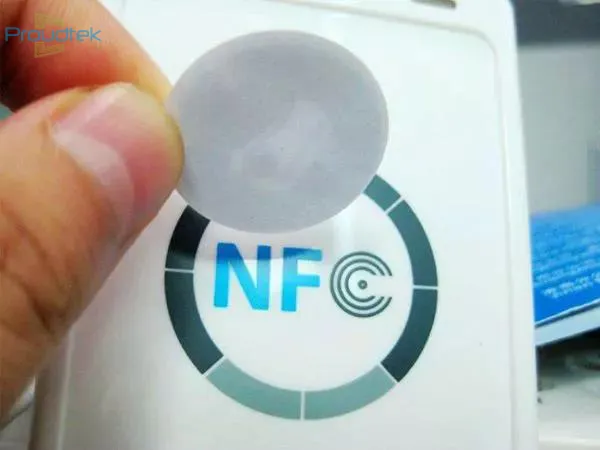
MIFARE stickers turn any phone or surface into a credential — a MIFARE chip on adhesive that sticks to a phone case, badge or asset tag — for systems that need the MIFARE format without issuing a card.
Self-adhesive RFID labels for systems that require a specified MIFARE chip and credential format. Choose the chip family, UID format and label construction to match your reader and mounting surface; metal surfaces need a suitable on-metal design. Include size, artwork, quantity and encoding requirements in your enquiry, and validate a sample before approving the batch.
Convenient for quick and seamless interactions without the need for physical contact.
With adhesive layer
Can be conveniently sticked to targeted object.
Thin and flexible
Can be attached to flat or curved surface.
Customizability
Can be customized in terms of size, shape, and printed design to suit specific needs.
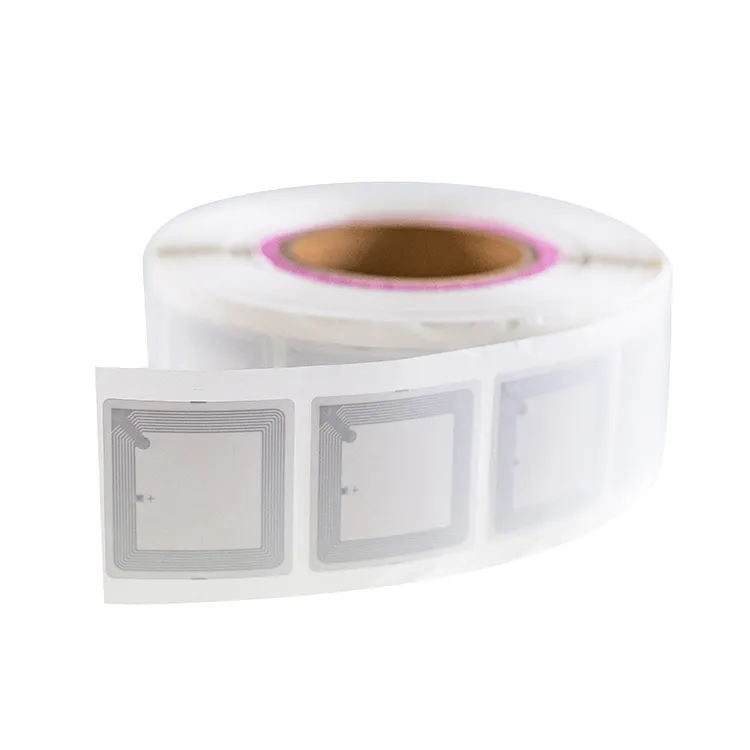
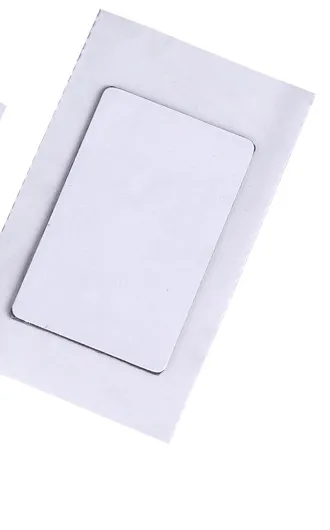
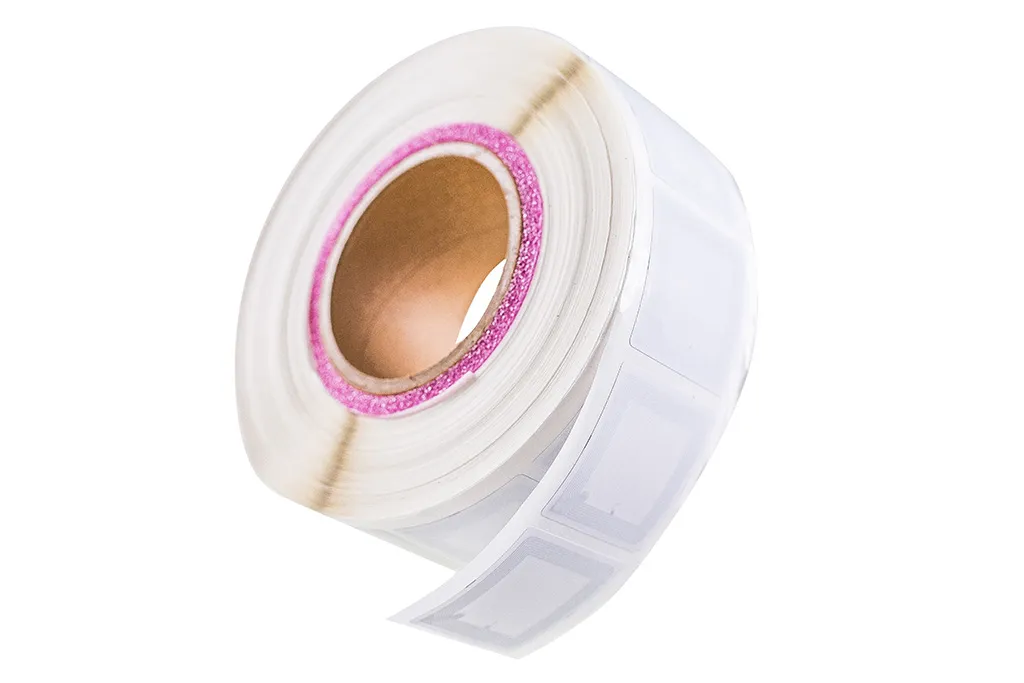
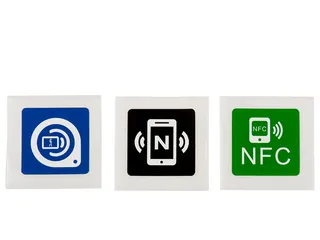
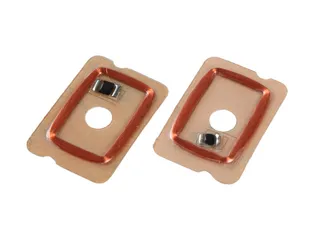
Thin MIFARE sticker
It is coated with Paper, PVC, PET, etc. It is very thin item.
Epoxy MIFARE sticker
Coated with software epoxy, which protects the RFID function unit from water, moisture, etc.
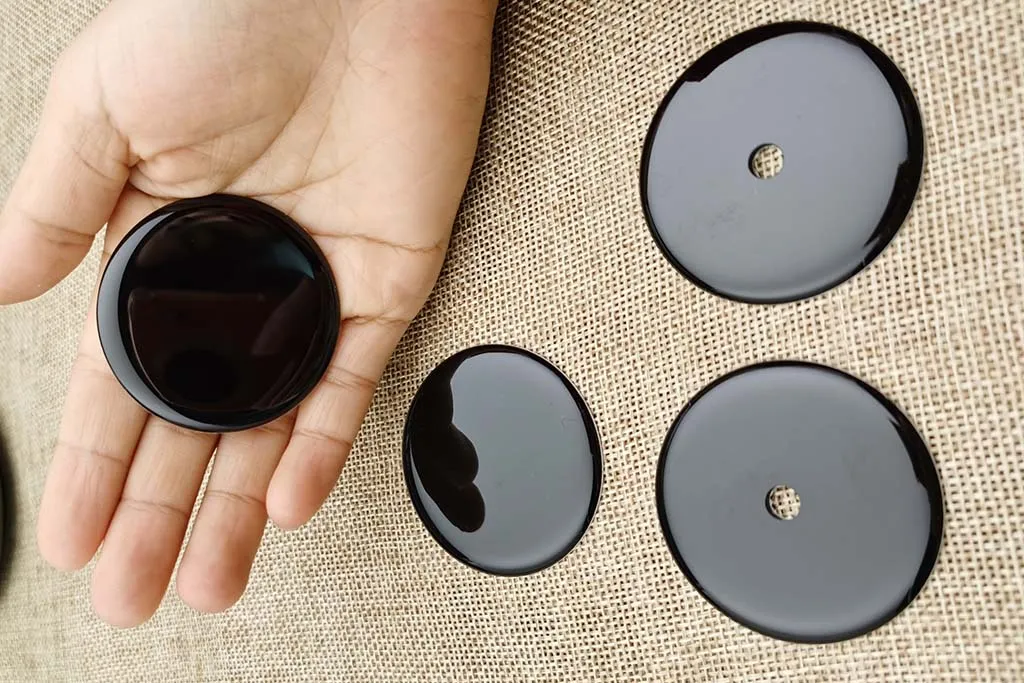
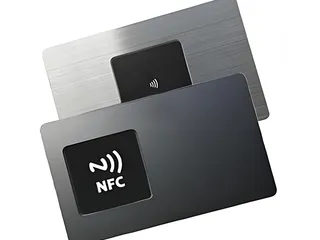
On-metal MIFARE sticker
Embedded with wave-absorbing layer, allowing the MIFARE sticker work well on metal surface.
Application
Access Control
Can be sticked to mobile phone to work as access control cards.
Inventory Tracking
Attach MIFARE stickers to assets for efficient management.
Public Transportation
Attach MIFARE stickers to mobile phone or other objects for public traffic application.
Event Management
Attach to Tyvek wristband or other object to enhance the event management.
What a MIFARE sticker is
A MIFARE sticker is a self-adhesive RFID label built around an NXP MIFARE chip. It works at 13.56 MHz under ISO/IEC 14443 Type A, the same air interface as a MIFARE card, so a reader, lock or terminal that accepts a MIFARE card of that family also reads the sticker. What changes is the package: instead of a 0.8 mm PVC card, the chip and antenna sit in a label a fraction of a millimetre thick that you stick to a phone case, a badge, a bin, a folder or a piece of equipment.
Specify the chip and credential format accepted by the system owner, and what, if anything, is to be encoded or printed. Reading an identifier does not prove access to protected card data.
Chip options
“MIFARE” is a family name, not one chip, and the reader decides which members of the family it accepts. Confirm this before choosing a sticker. The table lists the chips we build stickers around; NTAG is not sold under the MIFARE name but shares the ISO/IEC 14443 Type A interface, and many buyers who ask for a MIFARE sticker actually need a tag a phone can read.
Chip
Memory
Security
Typical use
MIFARE Classic 1K / 4K (NXP EV1: MF1S50 / MF1S70)
1 KB or 4 KB in 16 or 40 sectors
Crypto-1, a proprietary cipher that has been publicly broken since 2008
Legacy access control, membership and loyalty where installed readers still require Classic
MIFARE Plus EV1 / EV2
2 KB or 4 KB
AES-128 in security level 3; Classic-compatible in security level 1
Migrating a Classic system to AES without replacing every reader at once
MIFARE DESFire EV2 / EV3
2 KB, 4 KB or 8 KB, file based
AES-128, Common Criteria EAL5+ certified
Transport, campus and multi-application credentials
NFC Forum Type 2 applications: URLs, review links and product information; test intended phones
A specification that names “MIFARE Classic 1K” or “S50” points to Classic. The Classic chip in our stickers is always genuine NXP EV1, never a “MIFARE-compatible” substitute, and we supply it in the 7-byte UID or 4-byte NUID version your system expects. A label that only says “13.56 MHz MIFARE” is insufficient to identify the chip. Systems configured for Plus SL3 or DESFire may not accept Classic credentials, even at the same frequency. Send the reader model and the system's card specification, or arrange an authorised sample check, before choosing the sticker.
UID length: 4-byte or 7-byte
Some systems enrol the identifier without reading application data. MIFARE Classic EV1 and MIFARE Plus EV2 have 4-byte non-unique identifier (NUID) and 7-byte UID ordering options; confirm the options for the exact Plus generation and part number. DESFire EV2/EV3 have a 7-byte factory UID and can be configured to present a random identifier during card selection. A random identifier is not a replacement for a fixed 4-byte NUID. Older controllers may truncate or reject a 7-byte UID, so specify the identifier format and validate a sample before ordering.
Sticker construction: thin, epoxy and on-metal
The three versions shown above share the same inlay and differ in what surrounds it.
Thin label: a PET antenna carrier with the chip, an adhesive layer and a paper, PVC or PET face. The thinnest and lowest-cost version, it bends around curved surfaces such as a phone case or a bottle and suits indoor use.
Epoxy sticker: the same inlay under a clear domed epoxy layer. It resists water and abrasion, keeps its printing legible, and can be punched for a key ring.
On-metal sticker: a ferrite sheet sits between the antenna and the adhesive. A 13.56 MHz antenna placed directly on metal is detuned and stops reading; the ferrite layer isolates it so the sticker works on laptops, tool boxes, machinery and steel cabinets. It is thicker and reads at a shorter distance than a thin label.
All HF stickers read at short range, typically a few centimetres, and a sticker antenna is smaller than a card antenna, so expect less range than the card your system was designed for. Common formats are round labels of 25 to 30 mm and card-sized 86 × 54 mm labels; the smaller the label, the shorter the read distance. If the sticker will be read through a phone case or a wallet, test a sample on your own reader before the production run.
On-metal label or thin wet inlay?
The construction, not the chip, decides where a MIFARE sticker will read. Match it to the surface before you choose a size or artwork.
Construction
Where it works
Thickness class
Confirm before ordering
Thin wet inlay (paper, PVC or PET face)
Plastic, glass, paperboard, wood and other non-metal surfaces, including curved ones such as a phone case or a bottle
Thinnest: a sub-millimetre label that bends with the surface
Face material and adhesive for the surface and environment; the read distance on the filled package, not on a bare sample
Ferrite-backed on-metal label
Steel, aluminium and other metal: laptops, tool boxes, machinery, cabinets and gas cylinders
Thicker, because the ferrite isolation layer adds height
That the on-metal (ferrite) version is specified; that the shorter read distance is acceptable; a sample tested on the actual metal object
A 13.56 MHz antenna placed directly on metal is detuned and stops reading, so a thin wet inlay is not an on-metal label with the liner peeled off: it needs the ferrite construction. On-metal labels are thicker and read at a shorter distance than a thin inlay of the same size. If you are tagging metal assets across a site, the supply chain identification guide covers the reader side, and the full RFID labels range lists the other label formats.
Printing and encoding
Stickers ship blank white or printed in full colour on the face. Paper and PET faces accept thermal-transfer printing, so you can add serial numbers, QR codes or asset IDs in your own office. We can also print variable data, including the chip’s UID in human-readable and barcode form, so a barcode scanner and the RFID reader identify the same item. For labels we number, you get a file in Excel, CSV or XML listing each label’s UID next to the number printed on it.
Encoding depends on the chip: Classic or Plus sector data and keys, DESFire applications and files, or NDEF records such as a URL on NTAG. Send the encoding specification with your enquiry; what to include is set out under RFID encoding service. Each sticker is read back once it has been encoded, and a data report goes out with every encoded order. Key loading, DESFire application setup and key handling are agreed in the quotation before the labels are personalised.
Where MIFARE stickers are used
Phone-case credential: a label can be attached to a case and enrolled as its own credential. Check the mounting surface, phone interaction and reading performance with the installed access reader.
Asset and equipment tracking: on-metal labels on laptops, tools, gas cylinders and machinery let a handheld reader confirm an item without reading a serial number.
Membership and loyalty: applied to an existing plastic card or badge, a sticker adds contactless identification without reissuing the card.
Events: applied to a paper or Tyvek wristband for entry, cashless payment or session check-in when a full RFID wristband is not needed.
Retrofitting: any object that has to be identified by an existing MIFARE reader, from a folder in an archive to a returnable container.
MIFARE sticker or NTAG sticker?
Buyers often ask for a "MIFARE sticker" when what they need is a label a phone can open. The two are chosen by one question: does a reader enrol the label as a credential, or does a phone read it to open a link? A MIFARE sticker is for the first case — an installed access, membership or transport reader that already accepts a specific MIFARE chip and credential format. An NTAG NFC sticker is for the second — a tap that opens a web page, a profile or a Wi-Fi record on the visitor's own phone.
If the label is read by…
Choose
Because
An access, membership or transport reader
A MIFARE sticker in the chip the system specifies
The reader enrols a named chip and credential format; the sticker must match it
NTAG is an NFC Forum Type 2 tag that iPhone and Android read natively; MIFARE Classic is not read by iPhones and only optionally by Android
The trap is MIFARE Classic in a phone-facing role: an iPhone does not read Classic sector data at all, and Android support for it is optional and hardware-dependent, so a Classic sticker that works on the office door will not reliably open a link for a customer. If the same object must do both — a reader credential and a phone tap — use two labels or a dual-chip construction, and confirm each on its own reader.
Using NFC stickers in a marketing campaign
A tap-to-URL campaign puts a label on a poster, a coaster, a shelf edge or packaging so a shopper can tap it and land on your page. For this the chip is NTAG, not MIFARE: NTAG stores a plain NDEF URL that any NFC phone opens, whereas a MIFARE Classic sticker is a reader credential the general public cannot tap. Compare the two label families on the NTAG NFC sticker page, and weigh the tap against a printed code on the RFID vs QR code guide before you commit a design.
Two rules keep a campaign both measurable and honest about privacy. First, the tag stores only a link — encode a short URL you control and route it through a redirect, so the destination can change for an A/B test, a new promotion or a different language without peeling and replacing a single sticker. Measurement then happens at the landing page: your web analytics record each visit, and a per-label identifier in the URL lets you tell one placement from another. Second, the tag itself holds no personal data and identifies no person; it is a printed link, not a tracker, and it learns nothing about who taps it.
Placement and surface. Paper, card, plastic and glass take a thin label; a can, a bottle cap or any metal surface needs the on-metal (ferrite) construction or it will not read. Curved surfaces need a flexible label. Test the label in its final position, on the filled package.
One URL, a dynamic destination. Keep the address on a page you control and swap the content server-side; do not bake a campaign-specific landing page directly onto the chip.
No personal data on the tag. Store a link only. Attribution belongs in the landing page and its analytics, not on the sticker.
Pair with a printed QR code. Some phones have no NFC and some hands never tap; a QR code beside the tag routed to the same URL captures the rest of the audience.
Encoding at volume. For a run of individually serialised URLs, the RFID encoding service covers the data format and sample approval before the batch.
Before you order
The reader or lock model, or a working card, so we can confirm the chip family and UID length.
The surface: plastic, paper, glass or metal, flat or curved. Metal needs the on-metal version.
The environment: indoor, outdoor, wet or exposed to chemicals. Epoxy or a laminated PET face lasts longer than paper.
Size, shape and artwork, plus any variable data such as serial numbers or barcodes.
Encoding and numbering: none, a printed UID or number, sector or application data, or NDEF.
Quantity and delivery date. Samples are available for reader testing before a production run.
What Proud Tek produces
We print, encode and inspect MIFARE stickers in our Shenzhen factory, with quality control before dispatch. Enquire about the required sticker construction, chip, printing and encoding. Confirm these options and the sample terms in the quotation. If your readers take cards, compare MIFARE Classic, MIFARE Plus and MIFARE DESFire cards. For a phone-focused project, compare NTAG NFC stickers and test the intended devices; for a 125 kHz system, see 125 kHz RFID stickers. Application guidance is available for access control and supply chain identification.
Specify your MIFARE labels
Send with your enquiry
Name the chip and credential format your system requires, plus label size and mounting surface. Include artwork, quantity and any encoding requirements.
Approve a sample
Test the label after attaching it to the intended object. Check reading and the required data operations with your actual reader or phone application.
Confirm the quotation
Request the label construction, adhesive and supply format in the quotation. Agree how any encoding and identifier file should match the finished labels.
It depends on the exact chip, phone and application. Android’s MIFARE Classic support is optional and hardware-dependent. For an iPhone project, check the supported Core NFC operation rather than assuming Classic sector access. For URL or NDEF applications, compare NTAG NFC stickers and test the encoded sample with the target phones.
Is a MIFARE sticker the same as an NFC sticker?
The terms overlap, but they do not specify the same chip or application. A MIFARE sticker must match the reader’s required chip and credential format. An NFC sticker used for URLs commonly uses an NTAG chip and an NDEF record. Confirm the chip and test the intended reader or phone application.
Will a MIFARE sticker work on a metal surface?
Only the on-metal version. A thin label placed directly on metal is detuned and stops reading. The on-metal sticker adds a ferrite layer that isolates the antenna from the metal, at the cost of extra thickness and a shorter read distance.
Can I copy my existing access card onto a sticker?
Order and enrol a new credential according to the system administrator’s specification. Confirm the chip, identifier format, required data and authorised encoding process. A label’s form factor does not bypass the system’s access permissions or key requirements. Test the new credential before approving the batch.
What read distance should I expect?
A few centimetres with a typical reader, and less than the card the system was designed for because the sticker antenna is smaller. Small round labels and on-metal versions read at a shorter distance again. The reader antenna matters as much as the tag, so test samples on your own equipment.
Can I print on the stickers myself?
Ask for a face material and supply format compatible with your label printer, ribbon and finishing process. Confirm the required artwork or variable data in the quotation, and test the printed label on the actual mounting surface with your reader before ordering the batch.
Do you pre-encode the stickers?
Yes, we write the data your system specifies, such as sector data on Classic or Plus or an NDEF record on NTAG. Include the chip and data format in your enquiry. On DESFire, creating applications and files and loading keys are confirmed in the quotation; so is key loading on Classic or Plus. We read back every sticker we encode, a data report travels with each encoded order, and numbered labels come with a list of their UIDs against the printed numbers. Validate sample labels before approving the order.
Can I run a tap-to-URL marketing campaign on a MIFARE sticker?
For a campaign where the public taps a phone to open a link, choose an NTAG NFC sticker rather than a MIFARE one. NTAG is an NFC Forum Type 2 tag that iPhone and Android read natively; MIFARE Classic is not read by iPhones and only optionally by Android, so a Classic sticker will not reliably open a link for a shopper. Keep MIFARE stickers for readers that enrol a credential.
How do I measure taps from an NFC sticker campaign?
Encode a short URL you control, containing a per-label identifier, and route it through a redirect. Measurement then happens at the landing page: your web analytics record each visit, and the identifier tells one placement or sticker from another. You can change the destination server-side for an A/B test or a new promotion without re-encoding the labels. The tap count and attribution live in your analytics, not on the tag.
Do NFC stickers store any personal data about who taps them?
No. The sticker stores only what you encode, normally a link and perhaps a serial number; it holds no personal data and identifies no person. It is a printed link, not a tracker, and it learns nothing about the phone or the person that taps it. Any attribution is done at the landing page you control, subject to your own privacy notice.
Buyer guides
How to Read an RFID Tag Quotation, Line by LineWhat decides RFID card and tag prices, and how to compare quotations line by line: unit-price basis, tooling, encoding, samples, freight and Incoterms.