125 kHz or 13.56 MHz: what each fob tells the reader
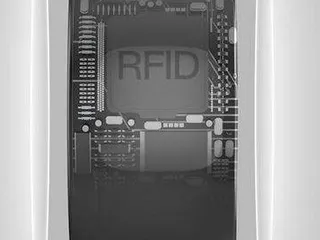
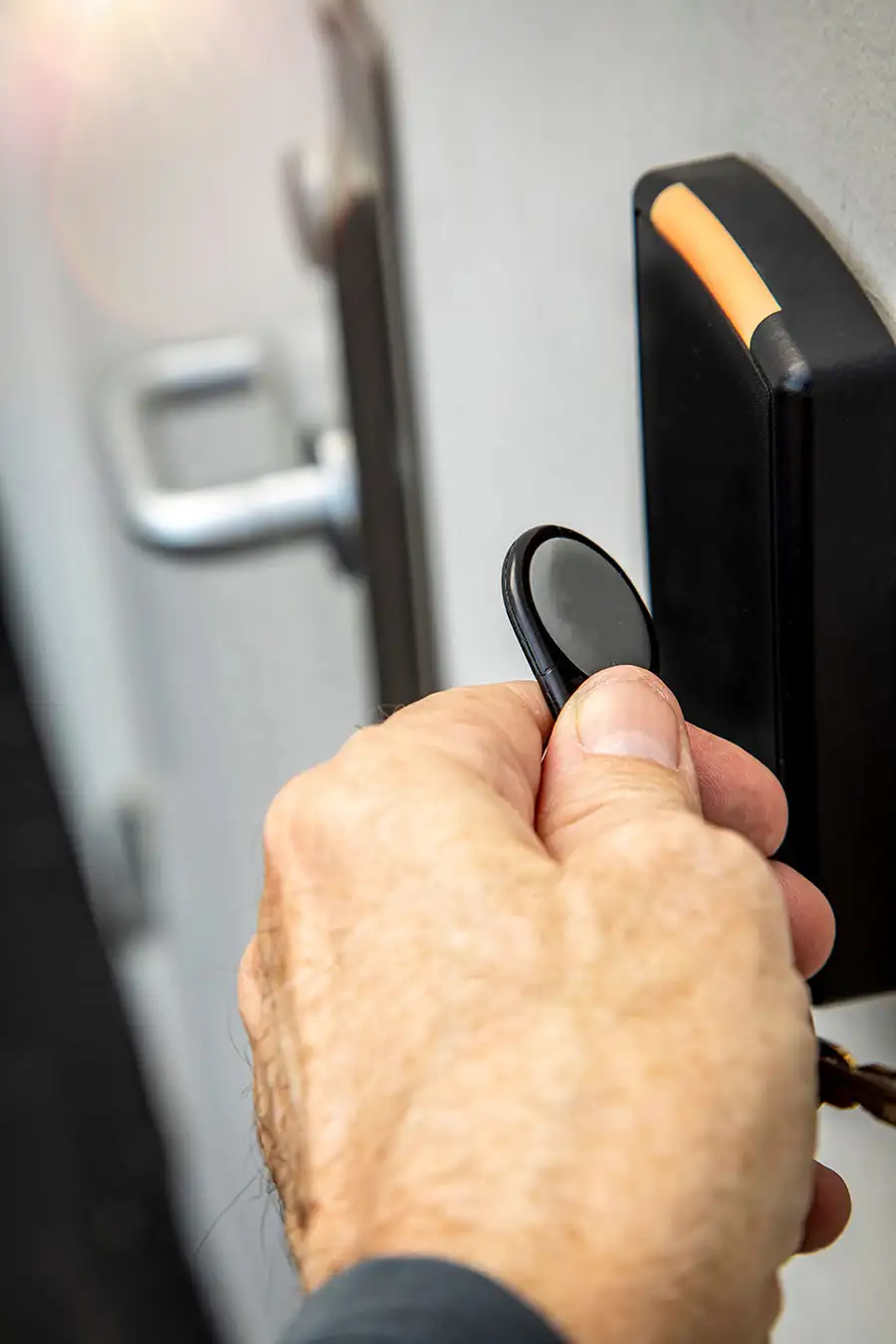
An access fob has no battery and makes no decision. The reader's field wakes it, the fob answers, and the reader passes that answer to a controller, which checks it against the permissions held in the access-control software. What the fob can answer is set by its frequency band, so the band is the first thing to establish.
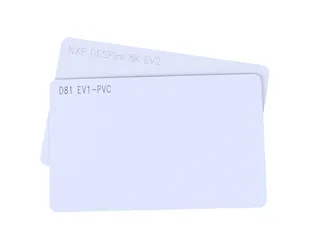
An EM-format 125 kHz proximity fob answers with an identifier and nothing more. That covers an EM4200, the chip in our fobs sold as "EM4100", whose identifier is laser-programmed into ROM and sent as a repeating 64-bit frame to any reader that powers the chip, and a T5577 or EM4305 set to send the same EM4100 frame. HITAG 2 adds a challenge-response crypto mode, broken since 2012. A 13.56 MHz MIFARE fob follows ISO/IEC 14443 Type A: the reader first collects the chip's UID during anticollision, and can then authenticate with the chip before reading protected data, using Crypto-1 on MIFARE Classic and AES-128 on MIFARE DESFire EV3 or MIFARE Plus in security level 3.
Two quick field checks help. An NFC phone detects a 13.56 MHz fob and ignores a 125 kHz one. And a band is not a format: proprietary 125 kHz credentials such as HID Prox share the band with EM4200 but not its data format, so a reader built for one does not necessarily accept the other.
| Question | 125 kHz proximity fob | 13.56 MHz fob |
|---|---|---|
| What the reader receives | On an EM-format fob, a fixed identifier, repeated while the fob is in the field | The chip UID, then, if the system is set up for it, data released only after authentication |
| Authentication with the reader | None on EM4200; T5577 and EM4305 passwords protect writing and command reads, not the ID the fob broadcasts; HITAG 2 crypto mode (broken) | Crypto-1 on MIFARE Classic (broken); AES-128 on DESFire EV3 and on MIFARE Plus in SL3 |
| Chips you will meet | EM4200, T5577, EM4305, HITAG | MIFARE Classic EV1, MIFARE Plus, MIFARE DESFire, LEGIC advant |
| Detected by an NFC phone | No | Yes |
| Typical installed base | Older residential entry, car parks, lifts and attendance terminals | New commercial installations and estates part-way through an upgrade |
How a key fob access control system fits together
A key fob access control system has four parts: the fob; a reader at each door, gate or lift; a controller or lock that acts on the read; and the software where permissions are set. Only the fob is carried; the reader, lock and software make every access decision.
Where the decision is made matters when a fob is lost or a permission changes. On a networked door the reader is wired to a central controller that holds the permissions, so a change made in the software applies at once and every read can be logged centrally. A standalone or offline electronic lock reads the fob and decides at the door from data it holds locally, which suits doors with no cabling, but a change reaches that lock only when the lock itself is updated. For the fob the difference is the enrolment route, not the chip.
The cable between reader and controller matters as much as the fob. As an article published by the Security Industry Association explains, Wiegand wiring carries the card data "in the clear" as unencrypted pulses, so a small device fitted behind the reader can capture it and replay it (SIA, 2021). OSDP, published as IEC 60839-11-5:2020, is a bidirectional, supervised alternative whose Secure Channel supports AES-128 encryption. Where readers or controllers are being replaced anyway, ask the installer for OSDP with Secure Channel. The fob does not change either way.
| Part | Role | Supplied by |
|---|---|---|
| Fob or card | Carries the chip ID, answers an authentication or, in hotel-lock and similar systems, holds access data written by the system's encoder | Proud Tek: key fobs, proximity fobs, DESFire and 125 kHz cards |
| Reader | Reads the credential at the door, gate or lift | Your system provider |
| Controller or lock | Releases the lock or barrier, or enables floor buttons | Your system provider |
| Software, on-site or cloud | Holds users, permissions and logs | Your system provider |
Which fobs can be copied: security by chip
Copy resistance is not a property of the frequency. It comes from whether the chip can prove it holds a secret key, and whether the reader actually asks it to. The table ranks the chips found in access fobs, from a fixed ID to AES authentication.
- The UID-only reader. Every ISO/IEC 14443 Type A chip, MIFARE included, sends its UID (or a Random ID, where that option is enabled) during anticollision, before any authentication (NXP AN10927). A reader or lock that grants access on the UID alone never uses the chip's cryptography, so a DESFire EV3 fob read that way is protected only by a number every reader receives. Ask the installer whether the reader authenticates an application with the system's keys or just reads the serial number.
- Compatibility modes. MIFARE Plus in security level 1 works as a MIFARE Classic card, Crypto-1 included, with an optional AES authentication that protects only where readers perform it. NXP's MIFARE Plus EV2 data sheet allows the switch to SL3 per card or per sector, only upwards, and in SL3 Crypto-1 operations are no longer possible (NXP MF1P(H)x2, §8.3). Until that switch, Plus fobs that readers check with Crypto-1 alone are as exposed as Classic ones.
- Classic is Classic, even when genuine. Meijer and Verdult concluded that all Classic-compatible cards should be treated as plain memory cards and migrated (ACM CCS 2015), and NXP refers security-relevant applications to its DESFire and Plus families. Our MIFARE Classic fobs use genuine NXP EV1 chips rather than "MIFARE-compatible" chips from other makers, one of which was found in 2024 to carry a hardware backdoor key (see the MIFARE Classic card page); genuine or not, Crypto-1 remains broken.
- Keys decide the rest. DESFire and Plus only protect the building if the keys stay under the control of the access-control administrator or integrator. They normally load the keys when fobs are issued rather than handing them to the fob supplier; any key loading before delivery is agreed in the quotation. A cloud platform cannot make a copyable 125 kHz or MIFARE Classic fob secure.
| Chip | What the reader relies on | Can it be copied? | Use it for |
|---|---|---|---|
| EM4200 (EM4100 format) | A fixed ID in ROM, sent without authentication | Yes. The ID can be read and written into a rewritable fob configured for the same frame; the reader sees the same number | Existing EM readers on low-risk doors |
| T5577 or EM4305 | Whatever ID the fob has been programmed to send | Yes, set up as an EM-format fob. A password or block lock stops the fob being rewritten, not the ID it broadcasts being read | Setting a facility code or number range on an EM-format system |
| HITAG 2 | A password sent in the clear, or a 48-bit crypto mode | Yes. Practical key recovery was published in 2012 | Keeping an existing HITAG system running |
| MIFARE Classic EV1 | Crypto-1 three-pass authentication with 48-bit sector keys | Yes. The 2015 hardnested attack recovered a key from a hardened card in about five minutes on one laptop core, given one known key | Continuity on an installed Classic system while a migration is planned |
| MIFARE Plus in SL1 | Crypto-1, as on MIFARE Classic (optional AES authentication in SL1 helps only if readers use it) | As MIFARE Classic, where readers check Crypto-1 alone | Running on Classic readers until the switch to SL3 |
| MIFARE Plus in SL3 | AES-128 authentication and secure messaging; Crypto-1 no longer accepted | Resists copying when readers authenticate with keys the system holds | Upgrading a Classic estate once readers support AES |
| MIFARE DESFire EV3 | AES-128 mutual three-pass authentication; the IC is Common Criteria EAL5+ certified | Resists copying when readers authenticate with keys the system holds | New installations and anything that matters |
Migrating to 13.56 MHz or AES without replacing every door
Few estates can replace every reader at once. The chip follows the system you have and the one you are moving to:
- Survey every reader type, including gates, car-park barriers and lifts, and record its model, band and 125 kHz format.
- Replace the readers on the doors that matter most first (main entrances, plant rooms, server rooms) with units that read both the old and the new credential.
- Issue dual-frequency, DESFire EV3 or MIFARE Plus fobs at a natural point, such as a tenancy change or an annual audit. In a dual-frequency fob each chip has its own antenna and answers its own reader, like the two chips of a multi-chip combi card.
- Once every reader authenticates with AES, switch MIFARE Plus fobs to SL3, then disable 125 kHz and Crypto-1 acceptance in the software when the last legacy reader is gone.
- Throughout, keep the AES keys with the access-control administrator.
| Situation | Chip | Why |
|---|---|---|
| Existing 125 kHz readers, no upgrade planned | EM4200 / T5577 proximity | Matches the installed readers; acceptable for low-risk doors only |
| Existing MIFARE Classic system | MIFARE Classic EV1 | Keeps the system running; plan the move away from Crypto-1 |
| Moving Classic to AES on the same readers | MIFARE Plus | Issued in SL1 on Classic readers, switched to SL3 once readers authenticate with AES |
| New commercial installation | MIFARE DESFire EV2/EV3 | AES-128 mutual authentication and room for several applications |
| Existing LEGIC system (common in Germany, Switzerland and Austria) | LEGIC advant | Segments are initialised under the system owner's LEGIC authorisation; send the exact chip type from your integrator |
| Mixed estate, phased reader upgrade | Dual-frequency (125 kHz + 13.56 MHz) | One fob for old and new doors; security as per the HF chip |
Confirming reader and lock compatibility on a sample
Fob orders go wrong when the chip is right but a detail is not: a proximity format the controller does not decode, a MIFARE fob without the sector keys the system expects, a DESFire fob without the application the reader looks for, or an unusual bit length. None of these shows on a datasheet, and all of them show in a sample test. We do not claim compatibility with any named lock or reader brand; a sample that works on your own equipment is the evidence.
Smart and cloud-managed locks follow the same rule. The cloud changes where permissions and logs are kept, but the lock still reads the fob locally over 125 kHz or 13.56 MHz, so the fob needs a chip and format that lock model supports and, on a secure chip, the application and keys the platform uses.
- Record the reader model and access-control software for each door type, and for a smart lock get the maker's supported-credential list from the maker or your integrator.
- Send one working fob. We identify the chip type, the format and any data that can be read without the system's keys, and propose a fob with the same chip and format.
- For DESFire EV3 or MIFARE Plus, have your administrator or integrator create the application and load the keys on the samples, as they will for production.
- Enrol the samples in the software and present them at every reader type. A beep at the reader is not a pass: the door, barrier or lift has to act on the credential.
- On dual-frequency fobs, test both chips, each on its own reader.
- Approve the sample and order production to the same specification; keep the approved fob as the reference for reorders.
RFID cards and fobs for elevators
Lifts use the same RFID credential technologies as doors, so there is normally no special elevator chip. An RFID card for a lift is an access credential read by a reader in the car or at a lobby hall panel, and the building's access-control or lift system decides which floors it may select. The card or fob has to match the lift reader's technology (frequency, chip and format), then be enrolled, or written by the system's own encoder where floor rights are stored on the card.
| Lift reader reads | Card | Fob |
|---|---|---|
| 125 kHz EM4100 format | EM4200 card | EM4200 proximity fob |
| 125 kHz, and the credential must carry a set number or facility code | T5577 card | T5577 proximity fob |
| MIFARE Classic | MIFARE Classic card | MIFARE Classic fob |
| MIFARE DESFire EV2/EV3 | DESFire card | DESFire fob |
| Hotel room-lock system | Hotel key card for that lock system | Only if the lock system accepts it |
How elevator floor access works
Many fobs open a door and also authorise floors in a lift, because both readers hand the credential to the same access-control system. Restricting floors keeps a visitor who has cleared the lobby from reaching an executive floor, a plant room, a data centre or a residential level that is not theirs, which is why floor access is standard in multi-tenant towers, hotels and apartment blocks.
There are two ways the lift acts on the fob. In a conventional car the reader sits on the button panel and the controller enables only the buttons the credential is allowed to press; unauthorised floors stay dark. In a destination-dispatch system the rider presents the fob at a hall panel in the lobby and is assigned a car for an authorised floor before boarding; that integration is arranged with the lift vendor and specified by your lift and access-control contractors. Behind the panel the reader connects either through a relay board that switches the floor buttons, which needs no lift-vendor API, or through a serial or IP link to the lift controller, which is what destination dispatch requires.
For the fob nothing changes: the same chip that opens the door works in the lift when both readers are on the same system. What has to be confirmed is on the building side.
- The floor list held in the access-control software, and the fob enrolled the same way it is for doors.
- A reader interface, relay or high-level, matched to the lift controller.
- Fire recall wired so that it takes precedence over every floor restriction.
| Approach | How the reader connects | What the lift needs | Suits |
|---|---|---|---|
| Relay floor lockout (retrofit) | Relay board intercepts the button-panel wiring | Electrical work in the car; no lift-vendor API | Existing lifts, budget retrofits |
| Controller integration | Serial or IP link to the lift controller | A lift-vendor interface or API | New builds, destination dispatch |
Key fob gate entry systems
A key fob gate entry system uses a reader on a post, in the intercom panel or at a car-park barrier, wired to the controller that opens the gate. The fob is presented within a few centimetres, as at a door.
- A push-button gate remote is a battery-powered radio transmitter, not an RFID fob. We make the passive fobs and cards presented to the reader, not remotes, gate readers, intercoms or controllers.
- Check the gate reader separately: if it is 125 kHz while the doors are 13.56 MHz, a dual-frequency fob covers both.
- For hands-free vehicle entry, UHF windshield tags are read from several metres by a lane reader; we make the tags, not the reader or barrier controller. See vehicle RFID identification.
Fob, card or wearable
The chip decides compatibility; the body decides who carries the credential and how. Fobs live on a key ring, cards carry a photo ID in a badge holder, and wearables suit pools, gyms and hands-free doors. Issuing cards and fobs on the same chip lets one enrolment process cover both, so many sites give staff printed cards and residents or contractors fobs; the software sees only the credential.
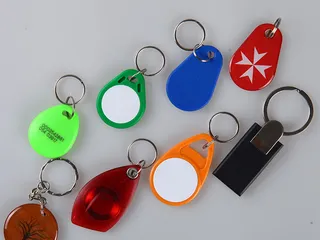
One limit is worth knowing before you plan a migration around wearables: an NFC ring holds a single chip, so it cannot stand in for a dual-frequency fob. Housings, colours, printing and durability are covered on the RFID key fob page.
What Proud Tek manufactures
Proud Tek is an RFID and NFC card, tag and fob factory in Shenzhen, producing since 2008. For access control we make key fobs in 125 kHz, 13.56 MHz and dual-frequency versions, 125 kHz proximity fobs and DESFire fobs and tags, with matching 125 kHz, MIFARE Classic, MIFARE Plus and DESFire cards on the same chip, and we also supply NFC rings. Readers, controllers, locks and software come from your access-control provider; the sample test on your equipment comes before the full production run.
Published 2026-09-09 · Updated 2026-09-28