Analytics cookies. Can we use Google Analytics and its cookies to see how visitors use this site? Change this any time under Cookie settings in the footer. Privacy policy
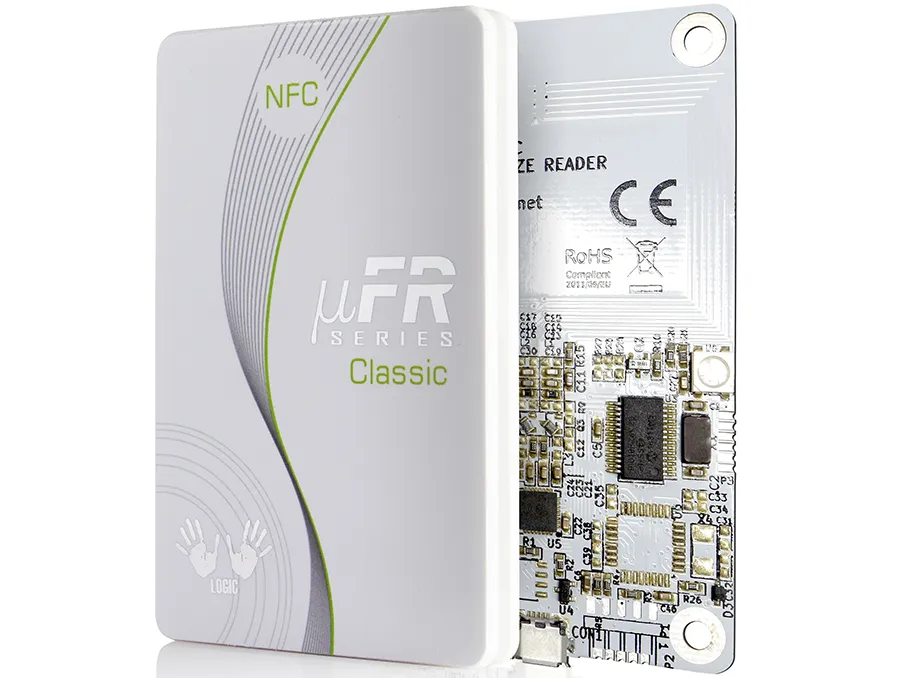
The µFR Classic CS is the reader for developers who'd rather call an SDK than send APDUs — free uFCoder libraries for MIFARE, DESFire, NTAG and JCOP — versus the ACR122U for software that already speaks PC/SC.
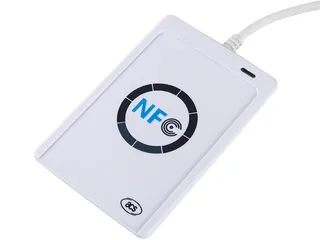
The Digital Logic µFR Classic CS is a 13.56 MHz desktop reader/writer for custom encoding software that you write against its free uFCoder SDK, for MIFARE, DESFire, NTAG and JCOP cards and tags. For software that already talks PC/SC, see the ACR122U. Confirm the model offered with the quotation, then test it with your actual cards.
Free standard samples · Quotation within one business day
Product details
Standards: ISO 14443 Type A and B and ISO 18092, at 13.56 MHz.
Interfaces: USB, RS232 or UART TTL; an OEM board without the housing is also available.
Free SDK: Digital Logic's uFCoder library, with source-code examples and the API reference.
Cards and tags: MIFARE, NTAG 21x, NTAG 4xx DNA and NXP JCOP Java Cards.
Security: key-based authentication for MIFARE and DESFire cards, with an optional SAM slot to keep keys in a secure chip.
Software Development Tools and Documentation:
SDK Projects: Includes a comprehensive Software Development Kit with cross-platform libraries, source code examples, and detailed API references
API and COM Protocol Documentation: Offers extensive technical documentation, hardware manuals, installation guides, functional schemes, and a knowledge base for thorough understanding and integration
Supported Programming Languages: Compatible with Java, JavaScript, Node.js, PHP, Lazarus, Borland Delphi, C, C++, Borland Builder C++, WxWidgets, Microsoft® Visual .NET family (C++.NET, C#.NET, VB.NET), Python, Arduino IDE
Firmware Upgrades: Regular updates are available for free download, ensuring the device remains up-to-date with the latest advancements
Common Applications
Closed-loop payment systems
Access control
Inventory management
Public transport systems
Vending machines
Time & attendance
Customer loyalty systems
Free SDK
Digital Logic's free SDK projects include compiled software examples as well as source code, for trying the reader, integrating it into your system and setting up the hardware.
Library and SDK for Java, Java Applet, JavaScript, Node.js extensions, Lazarus, Borland Delphi, C, C++, Builder C++, WxWidgets, Microsoft® Visual C++ .NET, Microsoft® Visual C#, Microsoft® Visual Basic .NET, PHP, Python, and Arduino IDE examples
Supported Operating Systems
Microsoft® Windows™, Linux®, macOS, Android
Supported Platforms
Windows x86/x64, Windows ARM/UWP, Linux x86/x64, Linux ARM/ARM64/ARMHF, macOS x64, iOS, Android, Arduino, ESP32
Smart Card Interface
ISO14443 Type A & B, ISO18092
Related Equipment
USB cable, Free software download
Certificates
CE, RoHS
Accessories
Cards, key-fobs, labels, wristbands, tags
Size & Weight
Model
Dimensions (mm)
Device (g)
Commercial Box Set (g)
µFR Classic CS
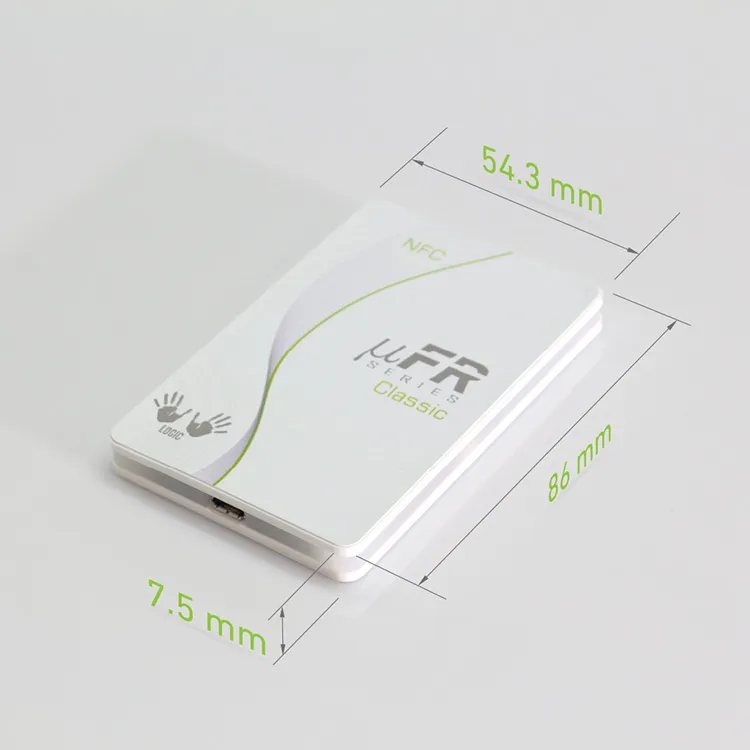
86 x 54 x 9
40
126
µFR Classic CS OEM
84 x 50 x 5
17
103
What the µFR Classic CS is
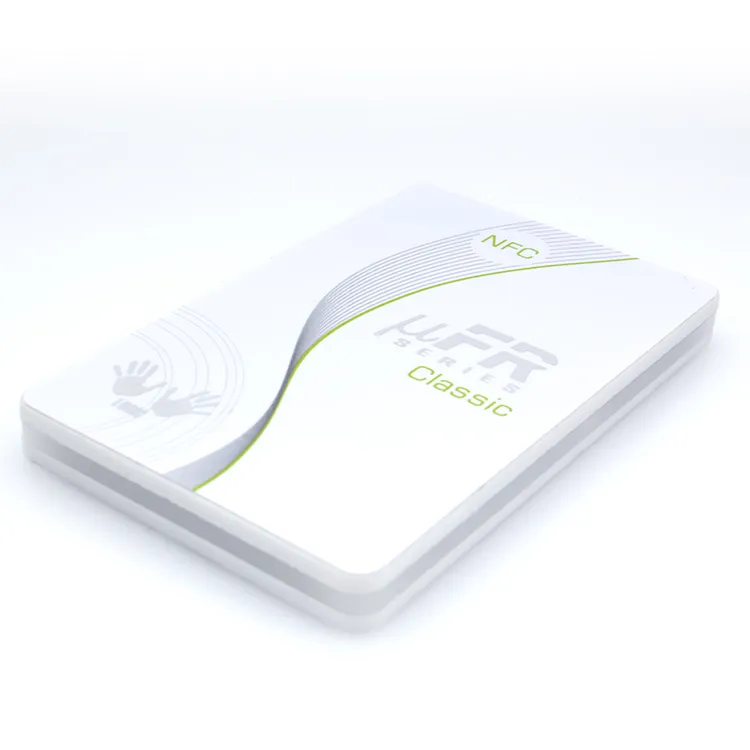
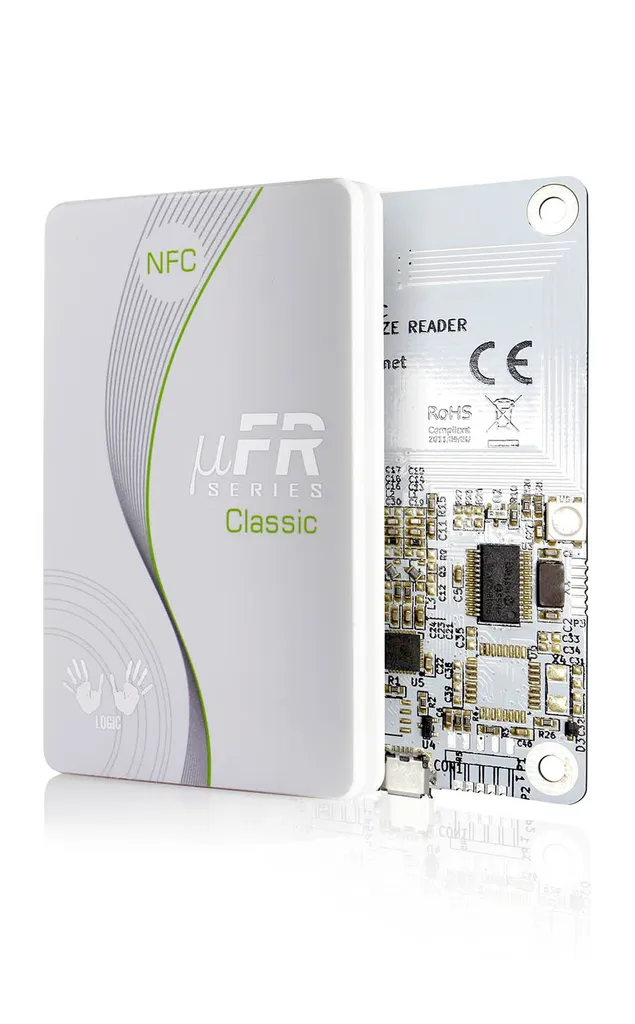
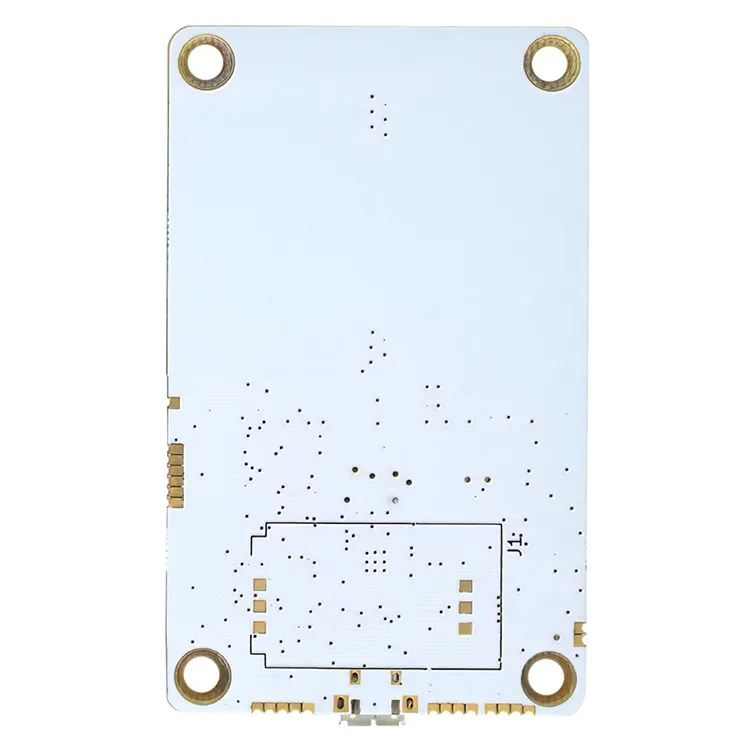
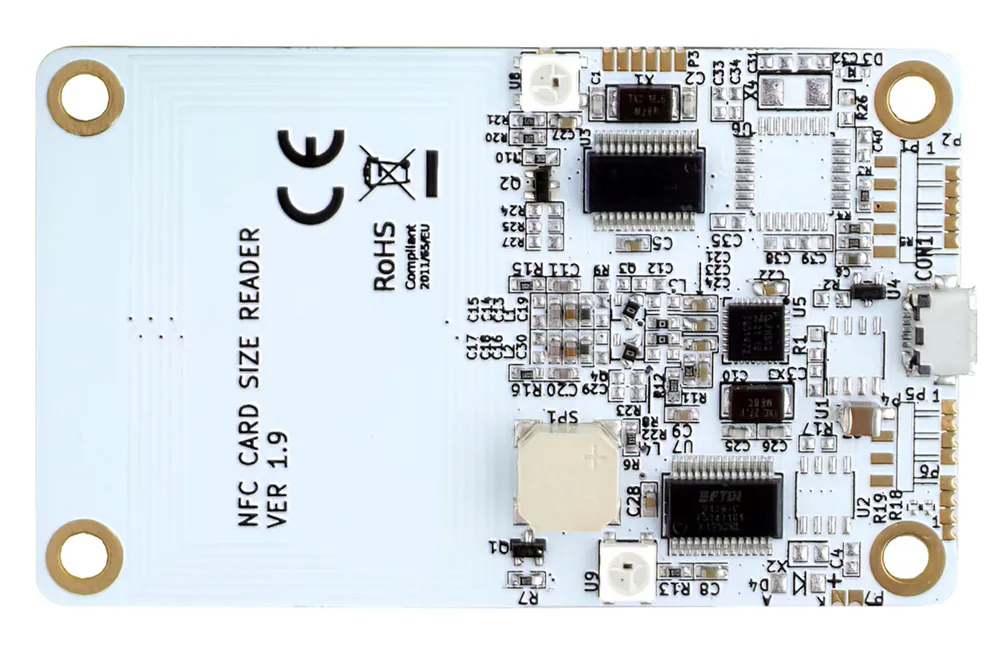
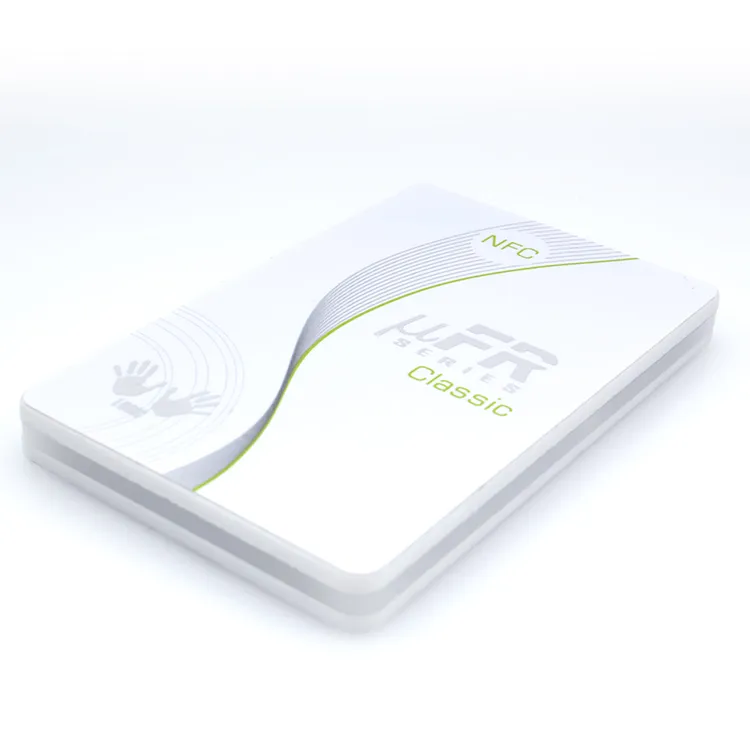
The µFR Classic CS is a card-size (86 × 54 mm) desktop NFC reader/writer made by Digital Logic Ltd (D-Logic) and supplied by Proud Tek as the encoding and testing tool that goes with our cards, tags and stickers. It works on 13.56 MHz and implements ISO/IEC 14443 A and B and ISO/IEC 18092, which covers the MIFARE Classic, Plus, DESFire and Ultralight families, NTAG 21x and NTAG 4xx DNA labels and the NXP JCOP Java Cards listed in the specification above. An OEM version without the housing (84 × 50 × 5 mm) is available for building into kiosks, printers or enclosures.
What sets it apart from a plain USB smart-card reader is the software model. The reader reaches the host through an FTDI USB chip and Digital Logic's own communication protocol, and your application calls the uFCoder library; with FTDI's Virtual COM Port driver the reader can also appear as a serial port. The manufacturer publishes the SDK with source-code examples, the API reference and firmware updates free of charge, and its examples cover Java, C, C++, C#, .NET, Python, PHP, JavaScript and Node.js, Delphi, Lazarus and the Arduino IDE. Two RGB LEDs and a speaker are built in and can be driven from your application, so a check-in desk or an encoding station can signal success or failure without a screen.
SDK reader or PC/SC reader?
Desktop NFC readers reach your software in one of two ways, and choosing the wrong one is the most common reason a reader comes back unused. The µFR Classic CS is the SDK route: your application links Digital Logic's uFCoder library and calls functions such as reading a MIFARE block, authenticating a DESFire application or writing an NDEF message, and the reader firmware runs the card-level exchange. That shortens development, but your software then depends on the manufacturer's library and protocol. Digital Logic also publishes a Windows PC/SC driver for the µFR series; PC/SC is not the reader's default interface.
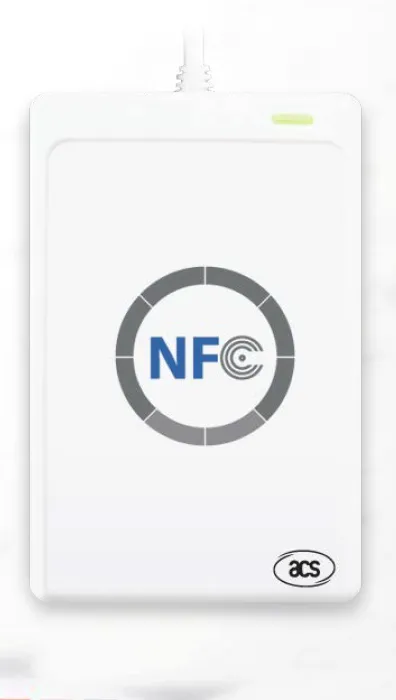
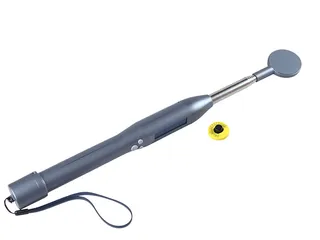
If your software already talks PC/SC, through pyscard, WinSCard or libnfc, you need a PC/SC reader instead. We supply the ACR122U, and for PC/SC projects with a long production life the newer ACS readers ACR1252U and ACR1552U as well. The ACR122U page covers host setup on Windows, macOS and Linux, the commands PC/SC software sends, the cards it can and cannot read, and what changes on the two newer ACS models. If your tags are 134.2 kHz animal ear tags, see the R901 Bluetooth reader instead.
Reader
Frequency and standards
Host interface
Tag families
Typical use
µFR Classic CS (this page)
13.56 MHz; ISO 14443 A/B, ISO 18092
USB, RS232 or UART TTL; uFCoder SDK for Windows, Linux, macOS, Android
Bluetooth to a phone or tablet, keyboard emulation
Animal ear tags and FDX-B implants
Livestock identification in the field
What the uFCoder SDK and firmware handle for you
Digital Logic lists these functions for the µFR Classic CS. They are the reason to choose an SDK reader: work that PC/SC software has to build from raw commands is a library call here. Check the API reference for the exact function and card before you design around one.
MIFARE Classic: the full Classic command set, block or block-in-sector addressing, value-block operations, and the whole memory treated as one linear space.
Keys: keys stored in the reader are write-only and cannot be read back, and can be applied by index or by scheme; an optional SAM slot moves them into a secure module.
DESFire and other ISO 14443-4 cards: AES-128 in hardware for DESFire keys and files, and an APDU interface where the card supports ISO 14443-4.
NFC tags: NDEF handling and parsing in the firmware; the SDK writes MIME, URI, vCard, SMS, phone and URL records and can format cards.
Host integration: several readers on one host, and an optional asynchronous mode that sends each card's UID to the COM port when a card is present.
Firmware: updates are free from Digital Logic's GitLab repository, and the manufacturer states that they keep backward compatibility with earlier versions.
Reader or encoder, and three ways it talks to your software
"Reader" and "encoder" describe the same desktop hardware doing two jobs. As a reader it reports what is already on a card, most often the UID for enrolment or verification. As an encoder it writes to the card: an NDEF record on an NTAG label, or keys, applications and files on a MIFARE or DESFire card. The µFR Classic CS does both, so the distinction is in your workflow, not the box. If your system only needs the UID, almost any 13.56 MHz desktop reader will do; if you personalise cards with keys and data, plan the encoding step and key handling before you pick a model.
However the reader is built, it reaches your application in one of three ways, and the mode decides how much software you write yourself:
PC/SC and CCID. The reader is a standard smart-card reader and your software sends it APDUs; the ACR122U page shows what that involves.
A proprietary SDK. Card operations are library calls, as described above; this is the µFR Classic CS's default.
Keyboard-wedge (HID keyboard emulation). The reader types the card's UID into whatever text field has focus, as if typed on a keyboard. It needs no driver and no code, which suits legacy or web applications that only capture a number, but it is read-only: it cannot encode, authenticate or manage keys. Confirm a model offers this mode before relying on it; ACS documents it for the ACR1552U, which we supply, with CCID (PC/SC) output as the default setting.
So the reader follows the workflow. For reading UIDs at a reception desk, a keyboard-wedge or PC/SC reader is enough. For batch encoding of NDEF stickers or personalising secure cards, choose PC/SC or an SDK and pair the reader with sample cards of the exact chip. Where you would rather not run the encoding yourself, our RFID encoding service delivers the cards pre-encoded. Every piece is read back once it has been written, a data report goes out with the order, and where cards or tags carry printed numbers you get an Excel, CSV or XML file linking each UID to its number, so your reader is left for spot checks and later batches.
What the µFR Classic CS can and cannot read
The µFR Classic CS is a high-frequency reader. It reads and writes 13.56 MHz ISO 14443 Type A and B and ISO 18092 tags: the MIFARE, DESFire and NTAG chips in our RFID cards, NFC stickers and wristbands, plus the Java Cards used for PKI and payment-style applets. Digital Logic's specification lists neither FeliCa nor ISO 15693 for this model. It cannot read 125 kHz proximity chips such as EM4100, EM4305, T5577 or HITAG 2, 134.2 kHz animal tags or 860–960 MHz UHF EPC Gen2 labels; each needs a reader built for that band. If your project mixes frequencies, say so when you ask for a quote: we can suggest a reader for each tag type, or a combi card that carries an LF or UHF chip beside the 13.56 MHz one.
One more distinction matters for NTAG projects: a phone with NFC can read and write NTAG 21x labels through apps, so for a handful of tags you may not need a desktop reader at all. A desktop reader earns its place when you encode tags in batches, need to lock or password-protect them consistently, work with MIFARE or DESFire keys that should never sit on a phone, or want a station that runs unattended.
Typical encoding and testing jobs
Writing NDEF records to NTAG labels. A URL, text, vCard or app-launch record is written to each sticker or wristband, optionally followed by a lock or password so the content cannot be changed. The SDK includes NDEF read and write functions, so the same job scales from ten samples to a production run.
Personalising MIFARE Classic, Plus and DESFire cards. Keys are changed from the factory defaults, applications and files are created, and member or access data is written before the cards are issued. Doing this on your own desk keeps the keys inside your organisation.
Reading UIDs for enrolment. Many access, membership and cashless systems only need the card's UID at enrolment. A desktop reader on the reception PC captures it into the system in a fraction of a second.
Loading and testing JCOP applets: check the reader interface, driver, loader and APDU requirements against the Java Card configuration. Validate installation and the applet’s operations together.
Prototyping on Raspberry Pi, Arduino and ESP32. The specification above lists Linux, Android, Arduino and ESP32 among the supported platforms, so the reader is used for single-board and microcontroller prototypes; for a microcontroller it is usually ordered with the UART TTL interface rather than USB.
Checking a sample batch before a volume order. Reading the chip type, memory size and lock state of the samples we send confirms that the stock matches your specification before you commit to quantity.
Interfaces and options: USB, RS232, UART TTL, RF Booster and SAM
USB is the standard interface and powers the reader from the port; it is the right choice for a PC, Mac, Android device or Raspberry Pi.
RS232 suits industrial PCs, PLCs and kiosk controllers that still expose a serial port; confirm the exact baud-rate range for your controller.
UART TTL is for embedded designs where the reader board or OEM module connects directly to a microcontroller.
RF Booster is an optional RF signal booster listed by Digital Logic, which publishes no read distance for it; test it with your own tags if you need more range than the standard 2 to 8 cm.
SAM slot is optional and holds a Secure Access Module so that MIFARE or DESFire keys are kept in a secure chip rather than in your application.
Before you order
List each tag's exact chip and protocol, then check it against the reader's supported-card list. The 13.56 MHz frequency alone is insufficient: ISO 14443, ISO 15693 and FeliCa are different protocols. 125 kHz and UHF tags need different reader hardware.
Decide whether your software needs PC/SC or an SDK, then confirm the available reader model, lifecycle status, drivers and supported card operations.
Choose the interface: USB for computers, RS232 for industrial serial ports, UART TTL for embedded boards, and the OEM board version if the reader disappears into an enclosure.
Check the operating system and programming language your team will use against the supported list in the SDK.
Tell us whether you need the RF Booster or a SAM slot; these are ordered with the reader.
Order sample cards or tags of the exact chip you plan to deploy together with the reader, so the first test uses the real stock.
Digital Logic periodically updates the µFR reader line; if you are starting a new design, ask which current model we can supply.
What Proud Tek supplies
Proud Tek supplies three kinds of reader to go with our cards, tags, stickers and wristbands: the µFR Classic CS and its OEM version; the ACR122U and ACS's newer ACR1252U and ACR1552U; and the R901 for animal ID. The RFID readers category links the reader pages. We are the supplier, not the manufacturer: the SDK, documentation, drivers and firmware come from Digital Logic for the µFR and from ACS for the ACS readers, and we do not write or support your application software. We do not supply access-control panels, locks or door controllers, and we do not duplicate credentials for systems that belong to someone else. Tags and cards ordered with a reader, such as MIFARE DESFire cards or NFC stickers, can be quoted pre-encoded or numbered; ask for a sample when you request a quote.
Check the reader integration before ordering
Send with your enquiry
Send the card chip, required operations, operating system and host interface. State whether your software expects the manufacturer’s SDK or PC/SC.
Approve a sample
Run your application on the intended computer or controller with real cards. Verify the driver, library and all required operations, including protected data access.
Confirm the quotation
Ask which model and hardware revision are currently offered, which driver or SDK version was tested, and what support and replacement options apply.
Not by default: the default integration uses Digital Logic’s protocol and the uFCoder SDK. The manufacturer also publishes a separate Windows PC/SC driver for the µFR series; if your application needs PC/SC, verify that driver on your exact Windows version. For PC/SC on Windows, macOS and Linux, the ACR122U, which we also supply, is the PC/SC reader.
Which tags can the µFR Classic CS read and write?
13.56 MHz tags covered by ISO 14443 A and B and ISO 18092: MIFARE Classic, Plus, DESFire and Ultralight, NTAG 210 to 216 and NTAG 4xx DNA, and NXP JCOP Java Cards, as listed in the specification table. It does not read 125 kHz, 134.2 kHz or UHF tags; those need a reader built for that frequency.
Can I write a URL to NFC stickers with it?
Yes. The SDK includes NDEF functions for writing URL, text and other records to NTAG labels and for locking or password-protecting them afterwards. For a few tags a phone app does the same job; the desktop reader pays off when you encode batches of our NFC stickers or need consistent locking.
Does it work with Raspberry Pi, Arduino or ESP32?
The manufacturer lists Linux and Android among the supported systems and Arduino and ESP32 among the supported platforms, with source-code examples in the SDK. For a microcontroller the reader is normally ordered with the UART TTL interface; for a Raspberry Pi the USB version is used with the Linux library.
Do you supply software or support for my application?
We supply the hardware and the cards and tags that go with it. The SDK, API documentation, drivers and firmware updates are published by Digital Logic and are free; writing and supporting your application is your own or your integrator's job. We can advise which chip and reader combination fits a project, and we supply samples of our RFID cards and tags for testing.
Can the reader read the cards from my building's access system?
Only when the card's protocol and chip family are supported by the reader and its software. A 13.56 MHz rating does not guarantee compatibility: check the specific MIFARE or NTAG variant, and do not assume ISO 15693 or FeliCa support on the Classic CS. Reading a UID does not imply access to protected data; that requires the relevant keys and commands. For an existing system, ask the vendor for its card format and test an authorised sample before ordering.
Is the µFR Classic CS still in production?
Confirm the current model and supply status with the quotation. If a newer or replacement reader is proposed, check its hardware interface, driver, SDK version and supported card operations. Approve the alternative only after testing it with your actual application and cards. If your software can switch to PC/SC, the ACR1252U and ACR1552U, current ACS readers that we can also supply for long-running projects, are an alternative for USB designs; the ACR122U page compares them.
Buyer guides
How to Program NFC Tags (Android & iPhone)How to program NFC stickers and cards on Android and iPhone: NDEF records, NFC Tools and NXP TagWriter, desktop readers, locking and pre-encoding.
Java Card and JCOP: The Smart Card OS ExplainedJava Card and JCOP explained: the JCVM and applets, GlobalPlatform, ISO 7816-4 APDUs, interfaces, unfused cards, and what to specify before ordering.
How to Read an RFID Tag Quotation, Line by LineWhat decides RFID card and tag prices, and how to compare quotations line by line: unit-price basis, tooling, encoding, samples, freight and Incoterms.
Ready to specify your order?
Send the product, quantity and application so we can confirm the options and pricing for your project.
Prefer to message us? WhatsApp or email about this product.