RFID & NFC Readers
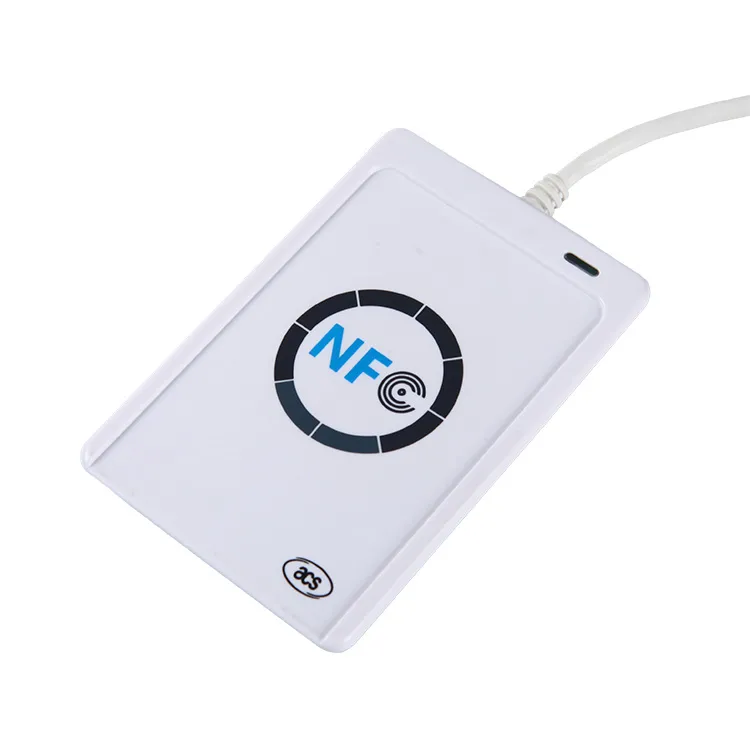
ACR122U NFC Reader
The ACR122U is the industry's reference USB NFC reader — the PC/SC device a generation of access-control and NFC software was written against — now discontinued by ACS but still supplied for maintaining existing deployments.
The ACS ACR122U is a USB PC/SC reader/writer for 13.56 MHz cards and tags, for software that already talks PC/SC or libnfc. It handles ISO 14443-4 cards, MIFARE Classic and Ultralight, NFC Forum tags and FeliCa, but not 125 kHz, ISO 15693 or UHF tags. ACS lists the model as discontinued; Proud Tek still supplies it and, for new designs, the two current ACS models, the ACR1252U and ACR1552U.
Free standard samples · Quotation within one business day
Product details
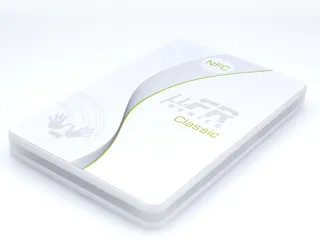
Supply: Proud Tek supplies the ACR122U; confirm the quantity when you order. ACS lists it as discontinued, so a new design that has to stay in production for years can start on one of ACS's current USB NFC readers instead, the ACR1252U (USB NFC Reader III) or the ACR1552U (USB NFC Reader IV), which we supply as well; the comparison further down lists what to check in your PC/SC code before switching. If your software is not written yet and you would rather call library functions than send APDUs, the µFR Classic CS with its free SDK is the other route.
What the ACR122U is
The ACR122U is a USB desktop reader/writer made by Advanced Card Systems (ACS). ACS describes it as PC/SC and CCID compliant, for ISO 14443-4 Type A and B cards, MIFARE, ISO 18092 (NFC) tags and FeliCa at 13.56 MHz. Inside, an NXP PN532 contactless controller sits behind a second controller that presents the USB CCID interface, so the host sees a standard contactless smart-card reader named "ACR122U PICC Interface". Its red/green LED and buzzer can be driven from your application.
Three things follow from that design. Software written for PC/SC, such as a pyscard script or a WinSCard application, runs without a vendor SDK. Cards that do not take ISO 7816-4 APDUs, such as MIFARE Classic, are reached through commands with class byte FF, which the reader translates into card commands (see the command table below). And the reader works with one card at a time: its anti-collision selects a single card, so present cards one by one.
Host setup on Windows, macOS and Linux
| Host | Driver | Check that it works | Watch for |
| Windows | Microsoft's built-in USB CCID and PC/SC drivers; ACS states that no ACS driver is required. ACS's specification lists Windows versions up to Windows 10 | Device Manager lists "ACR122U PICC Interface" | Reader commands sent with no card present (escape commands, SCARD_CTL_CODE(3500)) need a DWORD EscapeCommandEnable = 1 under the reader's Device Parameters key (VID_072F&PID_2200) |
| macOS | ACS's open-source acsccid PC/SC driver, which lists the ACR122U and supports OS X 10.7 or later | Your PC/SC tool lists the reader, for example readers() in pyscard | Test on the macOS version you will deploy |
| Linux | pcscd (pcsc-lite) with the CCID driver libccid, or ACS's acsccid | lsusb shows 072f:2200; pcsc_scan lists the reader and the card | The kernel's pn533 NFC driver claims the reader first (next paragraph); escape commands need ifdDriverOptions 0x0001 in libccid's Info.plist |
| Android | ACS lists Android 3.1 and later, through ACS's own Android library | Test with your app on the target device | The Android route uses ACS's library, not PC/SC |
The Linux pn533 conflict. The Linux kernel has its own NFC driver, pn533_usb, and its device table includes the ACR122U's USB ID (072f:2200). The kernel binds the reader as soon as it is plugged in, before pcscd can: the CCID driver in pcsc-lite then fails with "Can't claim interface", and libnfc cannot open the device either. Unload the pn533_usb and pn533 modules, blacklist nfc, pn533 and pn533_usb in /etc/modprobe.d (libnfc ships exactly that blacklist file), then replug the reader and restart pcscd. Blacklisting disables the kernel NFC stack, so do it only on hosts that do not use it for another device.
PC/SC and ACS commands your software sends
ISO 14443-4 cards such as DESFire and Java Cards take their own ISO 7816-4 APDUs, which the ACR122U passes through. Other cards are reached through commands with class byte FF, and FeliCa and Topaz tags also accept their native commands. FF CA, FF 82, FF 86, FF B0 and FF D6 are the storage-card commands defined in Part 3 of the PC/SC specification, so MIFARE Classic code built on them can move to another reader that implements them, although key slots and supported cards vary by reader. The value-block commands FF D7 and FF B1 are ACS's own, and so are the FF 00 reader commands, which ACS calls pseudo-APDUs. All are documented in ACS's ACR122U Application Programming Interface (V2.04). The ones most integrations need, in hex:
| Task | APDU | Notes |
| Read the UID | FF CA 00 00 00 | Returns the UID and 90 00; 63 00 means the operation failed. FF CA 01 00 00 returns the ATS of an ISO 14443-4 Type A card. |
| Load a MIFARE Classic key | FF 82 00 [slot] 06 [6-byte key] | Two key slots, 00 and 01, in volatile memory: the keys are lost when the reader is disconnected from the computer. |
| Authenticate | FF 86 00 00 05 01 00 [block] [60 or 61] [slot] | 60 uses the key as key A, 61 as key B. One authentication covers the blocks of that sector. The older FF 88 form is marked obsolete. |
| Read | FF B0 00 [block] 10 | Up to 16 bytes. On MIFARE Ultralight, 16 bytes are four pages from the page given. |
| Write | FF D6 00 [block] 10 [16 bytes] | 16 bytes for MIFARE Classic; Lc 04 and 4 bytes for one MIFARE Ultralight page. |
| Value blocks | FF D7 00 [block] 05 [00, 01 or 02] [4-byte value]; FF B1 00 [block] 04 | Store, increment or decrement a signed 4-byte value, then read it back. FF D7 00 [source] 02 03 [target] copies a value block within its sector. |
| Pass a controller command | FF 00 00 00 [length] [payload] | Direct Transmit, up to 255 bytes. ACS uses it for FeliCa and Topaz commands and to switch the antenna off (payload D4 32 01 00) or on (D4 32 01 01). |
| LED and buzzer | FF 00 40 [LED state] 04 [T1] [T2] [repeats] [buzzer] | T1 and T2 in 100 ms units; the last byte links the buzzer to T1, T2 or both. FF 00 40 50 04 05 05 03 01 blinks the red LED three times at 1 Hz with the buzzer. |
| Firmware version | FF 00 48 00 00 | Returns the version as ASCII text, such as ACR122U201. |
| Card-detection beep | FF 00 52 00 00 | Turns off the beep that sounds by default on every card detection; FF 00 52 FF 00 turns it back on. |
| Polling settings | FF 00 50 00 00 to read; FF 00 51 [bits] 00 to set | Selects the card types polled (ISO 14443 A and B, Topaz, FeliCa at 212 and 424 kbit/s), the polling interval and automatic ATS. The default is FF. |
With a card on the reader, send these as ordinary transmits (SCardTransmit) to the ACR122U PICC Interface. Reader commands such as the LED, firmware version or polling settings can also be sent before a card is presented, but only through the PC/SC escape channel (SCardControl with SCARD_CTL_CODE(3500) on Windows), which stays off until you enable it as shown in the host-setup table.
Cards it handles, and cards it cannot
| Card or tag | ACR122U | How |
| ISO 14443-4 Type A and B: MIFARE DESFire, JCOP Java Cards | Yes | Your application's own ISO 7816-4 APDUs, passed through. DESFire takes native or ISO-wrapped commands; the first command after activation sets the format for the rest of the session. |
| MIFARE Classic 1K, 4K and Mini | Yes | PC/SC storage-card commands (load a key, authenticate, read and write blocks) and ACS's value-block commands |
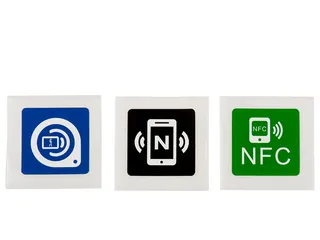
| MIFARE Ultralight, and NFC Forum Type 2 tags such as the NTAG213 in our NFC stickers | Yes | ACS lists all four NFC Forum tag types. Ultralight is read with Read Binary and written with Update Binary, and needs no authentication; test NTAG features such as password protection on a sample |
| FeliCa (NFC Forum Type 3), such as our FeliCa cards | Yes | Native FeliCa commands, or wrapped in Direct Transmit |
| Topaz and Jewel (NFC Forum Type 1) | Yes | Native commands, or wrapped in Direct Transmit |
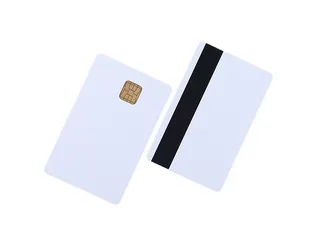
| Dual interface cards: one chip with a contact pad and an antenna | Contactless side only | The ACR122U has no contact slot; the contact interface needs a contact reader |
| Combi cards: multi-chip cards, usually two or more contactless chips in one card body | Only its ISO 14443 or FeliCa chip | A 125 kHz, ISO 15693 or UHF chip in the same card needs its own reader |
| ISO 15693 vicinity tags, such as ICODE SLIX | No | Not among the card types ACS lists, nor among the types the reader polls for |
| 125 kHz and 134.2 kHz LF: EM4100, EM4305, T5577, HITAG 2, FDX-B animal tags | No | An LF reader, such as the R901 Bluetooth reader for FDX-B ear tags |
| UHF EPC Gen2, 860 to 960 MHz | No | A UHF reader and antenna |
Libraries and tools that work with it
- pyscard (Python), the WinSCard API (C, C++ and .NET on Windows) and javax.smartcardio (Java) are PC/SC layers: open the ACR122U PICC Interface, send the APDUs above as transmits, and send reader commands through the control call once the escape channel is enabled.
- libnfc has two drivers for the reader: acr122_pcsc, which goes through pcsc-lite, and acr122_usb, which opens the USB device directly. Either way the kernel's pn533 modules must not be loaded. For NFCIP or card-emulation modes with no card on the reader, libnfc's README says to allow the CCID Exchange command in libccid (ifdDriverOptions 0x0001). The acr122_usb driver claims the reader's USB interface itself, as the CCID driver in pcscd does, so only one of them can hold the reader: stop pcscd while you use acr122_usb, or use acr122_pcsc.
- nfcpy lists the ACR122U in its hardware table, with read and write support for NFC Forum Type 2, 3 and 4 tags and as a peer-to-peer initiator, but without tag emulation or the peer-to-peer target role. Its documentation advises against buying the ACR122U for nfcpy, because the CCID controller in front of the PN532 prevents full use of the chip; for nfcpy work, choose a reader that nfcpy supports without these limits.
Common pitfalls
- Keys disappear after unplugging. Keys loaded with FF 82 live in volatile memory, so load them at the start of every session. Authenticate again whenever you move to a block in another sector.
- Writing a sector trailer. The last block of each MIFARE Classic sector holds key A, the access bits and key B, so a write to that block replaces the keys and access bits. Try trailer writes on a spare card first.
- A beep on every tap. The buzzer sounds on each card detection by default; FF 00 52 00 00 turns it off.
- Long or large commands. The CCID driver's reader list notes that the ACR122U supports no extended APDUs and no time-extension requests, and records faults in some firmware versions. Test your largest command and slowest card operation, and note the firmware version with the result.
- MIFARE Classic 4K and NDEF. ACS advises a 2-second delay when reading NDEF messages from MIFARE Classic 4K cards.
How to test a sample
- Connect the reader to the computer and operating-system build you will deploy, and check that the host sees it: Device Manager on Windows, lsusb and pcsc_scan on Linux.
- Read the firmware version with FF 00 48 00 00, and record it with the operating system and driver version.
- Place one sample card on the reader and read the ATR. For memory cards and tags, its card-name bytes show the type the reader detected: 00 01 MIFARE Classic 1K, 00 02 Classic 4K, 00 03 Ultralight, 00 26 Mini, F0 04 Topaz, F0 11 or F0 12 FeliCa. ISO 14443-4 cards carry historical bytes from the ATS (Type A) or ATQB (Type B) instead.
- Read the UID with FF CA 00 00 00 and compare it with the byte order and number format your system stores, hex or decimal, before you enrol a batch.
- Run each operation your application needs on the real card. For MIFARE Classic: load the key, authenticate, then read and write a test block, not a sector trailer. For DESFire or a Java Card: your application's own command sequence, including its longest command and response.
- Unplug the reader, reconnect it and repeat, so you know your software reloads keys and settings on its own.
Ask for sample cards of the exact chip with the reader, so the test uses the stock you will order; standard samples are free.
Specifications listed by ACS
| Dimensions and weight | 98.0 mm (L) x 65.0 mm (W) x 12.8 mm (H); 70 g |
| USB | USB CCID, Full Speed (12 Mbps); standard Type A connector on a fixed 1.0 m cable; powered from the USB port, 5 V, 200 mA maximum |
| Contactless interface | 13.56 MHz; ISO/IEC 18092 NFC, ISO 14443 Type A and B, MIFARE, FeliCa; 106, 212 and 424 kbit/s; one card at a time |
| Operating distance | Up to 50 mm, depending on the tag type; antenna 50 mm x 40 mm |
| Built-in peripherals | One bi-colour red/green LED; monotone buzzer |
| Operating conditions | 0 to 60 °C; up to 90% relative humidity, non-condensing |
| Driver support | Windows XP to Windows 10 and Windows Server 2003 to 2016; Windows CE and Embedded Compact; Linux; Mac OS; Solaris; Android 3.1 and later (with ACS's Android library) |
| Compliance | EN 60950/IEC 60950, ISO 14443, ISO 18092, PC/SC, CCID, CE, FCC, RoHS 2, REACH, VCCI, KC, Microsoft WHQL |
ACR122U, ACR1252U or ACR1552U
All three are ACS USB readers that PC/SC software opens as a CCID smart-card reader, and all three take the storage-card commands in the command table above. The ACR1552U lists more card types than the other two, and the three differ in their reader commands and in a few limits. Every figure in this table comes from ACS's own documents for that model, linked below it.
| Feature | ACR122U | ACR1252U | ACR1552U |
| USB connection | CCID, Full Speed; Type A plug on a fixed 1.0 m cable | CCID, Full Speed; Type-A (ACR1252U-M1) or Type-C (ACR1252U-MF) plug on a fixed 1 m cable | CCID, Full Speed; part numbers ACR1552U-M1 (Type-A) and ACR1552U-MF (Type-C), fixed 1 m cable |
| Cards ACS lists | ISO 14443 A and B, MIFARE, FeliCa, all four NFC Forum tag types (ISO/IEC 18092) | ISO 14443 A and B, MIFARE, FeliCa, all four NFC Forum tag types (ISO/IEC 18092) | ISO 14443 A and B, MIFARE, FeliCa, ISO/IEC 18092 NFC and Topaz, plus ISO 15693, SRI/SRIX, Picopass, CTS and Innovatron |
| ISO 15693 tags, such as ICODE SLIX | Not listed | Not listed | Yes |
| Extended APDUs | Not listed | Up to 64 KB | Up to 64 KB |
| Speed; operating distance, depending on the tag | Up to 424 kbit/s; up to 50 mm | Up to 424 kbit/s; up to 50 mm | Up to 848 kbit/s for ISO 14443; up to 70 mm |
| SAM slot | Not listed | One SIM-size ISO 7816 Class A slot, for a SAM, not a full-size card | One SIM-size ISO 7816 Class A slot, for a SAM, not a full-size card |
| LED; operating temperature | Red and green; 0 to 60 °C | Red and green; 0 to 60 °C | Blue and green; −20 to 70 °C |
Sources: ACS's ACR1252U technical specification and API manual, the ACR1552U technical specification and reference manual, and the ACR122U API manual (PDF downloads).
Checks for PC/SC code moving off the ACR122U:
- The reader name. Software that selects the ACR122U by its reader name has to change. Each newer reader presents a contactless (PICC) reader and a SAM reader, and ACS's examples open "ACS ACR1252 1S CL Reader PICC 0" or "ACS ACR1552 1S CL Reader PICC 0". Select the PICC reader, not the SAM slot.
- Card commands carry over. Get Data (FF CA), Load Keys (FF 82, two volatile key slots), Authenticate (FF 86), Read and Update Binary (FF B0, FF D6), ACS's value-block commands (FF D7, FF B1) and the PC/SC 2.0 Part 3 transparent session (FF C2) are documented for both newer readers.
- Reader commands change. The ACR1252U keeps four of the ACR122U's FF 00 pseudo-APDUs as "ACR122U compatible commands": FF 00 40 (LED and buzzer), FF 00 48 (firmware version), FF 00 50 and FF 00 51 (polling settings). Otherwise both newer readers take escape commands that start E0 00, sent with SCardControl through the escape channel (next point); E0 00 00 18 00, for example, returns the firmware version. The beep on card detection, which the ACR122U controls with FF 00 52, is bit 3 of a behaviour byte that also sets the LEDs, on both: read the byte with E0 00 00 21 00 and write it back with E0 00 00 21 01 and bit 3 cleared, so the LED settings stay as they were. The ACR1252U keeps the new setting after power-off.
- Enable the escape channel for the new reader. On the ACR122U, reader commands can go as ordinary transmits while a card is on the reader, so existing software may never have used the escape channel. On the newer readers the E0 00 commands go only through it. With Microsoft's CCID driver on Windows, set EscapeCommandEnable under the new reader's own USB ID, not the ACR122U's VID_072F&PID_2200, or install ACS's driver, which ACS's ACR1552U manual says to install. On Linux, ACS's acsccid driver accepts SCARD_CTL_CODE(3500), and pcsc-lite's CCID driver (libccid) needs ifdDriverOptions 0x0001 and takes the escape as SCARD_CTL_CODE(1); on macOS, install ACS's acsccid driver.
- No PN532 commands. On the ACR122U, Direct Transmit (FF 00 00 00) passes commands to its PN532 controller, such as the antenna switch. Neither newer reader documents PN532 commands. They use the FF 00 00 00 header for FeliCa commands, and the ACR1552U also for ISO 14443-3 commands. The RF field is switched inside a PC/SC 2.0 Part 3 transparent session: FF C2 00 00 02 81 00 starts the session, FF C2 00 00 02 83 00 turns the field off and FF C2 00 00 02 84 00 on, and FF C2 00 00 02 82 00 ends the session. Automatic polling stays off until the session ends, and ACS's ACR1552U manual warns that a session used wrongly can stop the reader detecting cards. To save power, use the ACR1252U's automatic polling setting (E0 00 00 23), which can turn the antenna off when no card is found, or the ACR1552U's RF control command (E0 00 00 25).
- Card names in the ATR. MIFARE Classic 1K and 4K, Ultralight and Mini keep their card-name bytes (00 01, 00 02, 00 03, 00 26). FeliCa and Topaz change: the newer readers report 00 3B and 00 30, where the ACR122U reports F0 11 or F0 12 and F0 04. The ACR1552U polls for Topaz only after it is enabled with its Set PICC Polling Type command.
- Firmware. Record the firmware version of your sample. ACS lists a minimum firmware version for some ACR1552U commands, including the ISO 14443-3 and ISO 15693 pass-through commands.
What Proud Tek supplies
We supply the ACR122U, with the quantity confirmed per order, the two current ACS models compared above, and the cards, tags and stickers you test them with; our readers are listed under RFID readers. ACS makes all three readers and is the source of their drivers, firmware and manuals; our part is supply, and we neither write nor support application software. Tell us the card chip, the host operating system and the commands your software sends. Batches you would rather not encode yourself can go through our RFID encoding service: we read every encoded card back before it ships, each encoded order comes with a data report, and for numbered cards we add each card's UID beside its printed number in an Excel, CSV or XML file, which leaves the reader for spot checks.
Verify the ACR122U with your software
Discuss your specification →Frequently asked questions
Does the ACR122U need a driver?
Not on Windows: ACS states that Microsoft's built-in USB CCID and PC/SC drivers are used, and the reader appears as ACR122U PICC Interface. On Linux, use pcscd with libccid or ACS's acsccid driver; on macOS, acsccid supports OS X 10.7 or later. To send reader commands with no card present, first enable the escape channel: a registry value on Windows, ifdDriverOptions 0x0001 for libccid.
Why does Linux report "Can't claim interface" for the ACR122U?
The kernel's NFC driver, pn533_usb, lists the ACR122U's USB ID (072f:2200) and binds the reader before pcscd or libnfc can. Unload the pn533_usb and pn533 modules, blacklist nfc, pn533 and pn533_usb in /etc/modprobe.d, then replug the reader and restart pcscd.
Which APDU reads a card's UID on the ACR122U?
FF CA 00 00 00. The reader returns the UID followed by 90 00, or 63 00 if the operation failed. FF CA 01 00 00 returns the ATS of an ISO 14443-4 Type A card. Both commands are defined in ACS's ACR122U Application Programming Interface.
How do I read and write MIFARE Classic with the ACR122U?
Load the key with FF 82 00 00 06 and the 6-byte key, authenticate the block with FF 86 00 00 05 01 00, the block number, 60 for key A or 61 for key B, and the key slot. Then read with FF B0 00, the block and 10, or write 16 bytes with FF D6 00, the block, 10 and the data. The two key slots are volatile, so reload keys after the reader is reconnected. Reading a UID never implies access to protected sectors.
Which cards can the ACR122U not read?
Anything outside 13.56 MHz ISO 14443, ISO 18092 and FeliCa: 125 kHz and 134.2 kHz LF tags, UHF EPC Gen2 labels, and ISO 15693 vicinity tags such as ICODE SLIX. It has no contact slot either, so it reaches a dual interface card only through its contactless side, and only the ISO 14443 or FeliCa chip of a multi-chip combi card.
How do I check whether the ACR122U reads my existing cards?
Place one card on the reader and read the ATR. Its card-name bytes show what the reader detected: 00 01 MIFARE Classic 1K, 00 02 Classic 4K, 00 03 Ultralight, 00 26 Mini, F0 04 Topaz, F0 11 or F0 12 FeliCa; an ISO 14443-4 card returns historical bytes instead. If nothing is detected, check whether the card is 125 kHz, ISO 15693 or UHF, which the ACR122U cannot read. FF CA 00 00 00 then reads the UID without keys, but the UID is not the protected data: sectors and applications need the system's keys. For a card from an existing access or membership system, ask the system's vendor for the card format and keys, and test an authorised sample.
Does the ACR122U work with pyscard, libnfc and nfcpy?
pyscard and other PC/SC bindings work through the standard reader interface. libnfc supports it through pcsc-lite or directly over USB, once the kernel's pn533 modules are unloaded. nfcpy lists read and write support for NFC Forum Type 2, 3 and 4 tags, but its documentation advises against buying the ACR122U for nfcpy.
Is the ACR122U still available?
Yes. Proud Tek supplies it; confirm the quantity when you order. ACS lists the model as discontinued, so for a new design that must stay in production for years we also supply ACS's current ACR1252U (USB NFC Reader III) and ACR1552U (USB NFC Reader IV). Both take the same PC/SC storage-card commands, but their reader commands and the ATR card names for FeliCa and Topaz differ, and of the three only the ACR1552U lists ISO 15693 tags. If you would rather build on a manufacturer SDK, ask which current µFR model we can supply. Test any reader with your own cards and software.
Buyer guides
- How to Read an RFID Tag Quotation, Line by Line What decides RFID card and tag prices, and how to compare quotations line by line: unit-price basis, tooling, encoding, samples, freight and Incoterms.
- RFID RFP Template: Questions to Ask Every Supplier An RFID RFP template for distributors: the supplier questions that produce comparable quotes, and how to read the replies against one specification.
- RFID MOQ, Explained: How Minimums Form and How to Discuss Them How RFID MOQ forms from chip lots, inlay rolls, print sheets and setup — and how buyers can discuss a smaller pilot or first order honestly.
Ready to specify your order?
Send the product, quantity and application so we can confirm the options and pricing for your project.