RFID Cards
Printed RFID Cards
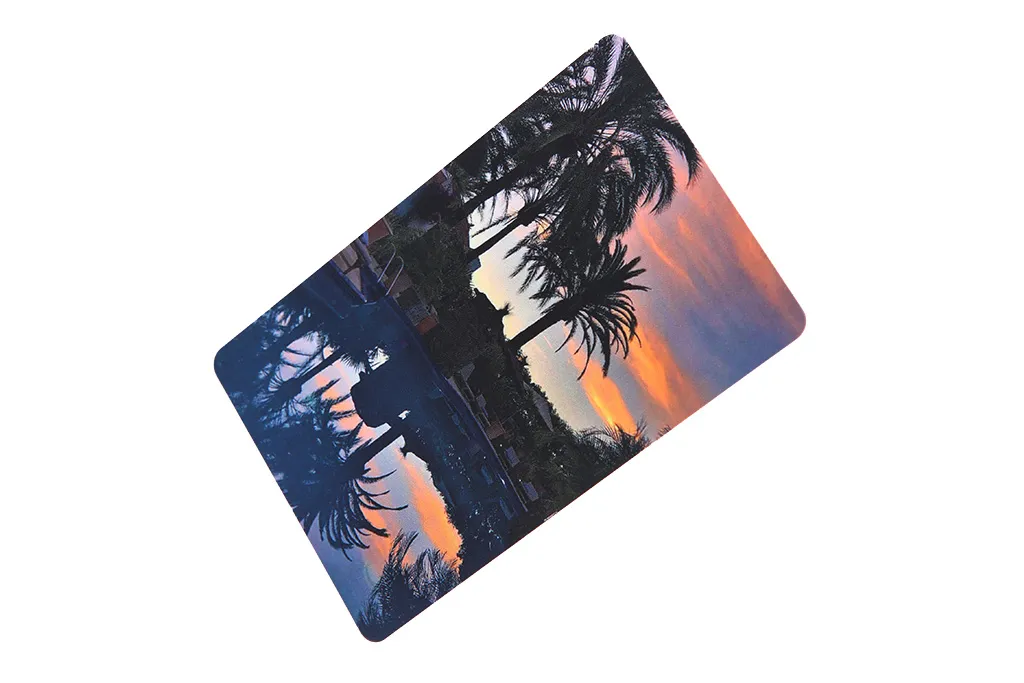
Printed RFID cards arrive finished — your artwork, numbering and encoding applied at the factory — for issuers who want to open the box and hand out cards, unlike blanks made for in-house printing.
Custom printed RFID and NFC cards carrying your artwork, finish and per-card numbering, barcodes or photos, built around the chip your readers use. Choose the chip for your system first; we proof the design, agree how printed numbers map to chip data, and read back every encoded card before dispatch.
Free standard samples · Quotation within one business day
Product details
What are custom printed RFID cards?
Custom printed RFID cards are contactless cards that carry your artwork, finish and per-card data around the chip your readers already use. They are ordered by system integrators, distributors and card issuers for access control, membership, hotel, loyalty, transport and campus schemes, where every card must look consistent and read reliably. The selection rule is simple: choose the chip for the reader first, then the material, then the print method and finish that suit your artwork and quantity.
Printing and chip choice are independent decisions. The same design can be printed on a 125 kHz card, a 13.56 MHz MIFARE or NTAG card or a UHF card (UHF card availability is confirmed in the quotation), as long as the chip matches the system that will read it. Custom printed NFC cards use the same process with an NTAG chip and can be encoded with your URL or vCard so a phone opens it on tap. The sections below explain print methods, finishes, variable data, artwork preparation, proofing and how printed numbers are matched to encoded chip data.
| Decision | Typical options | What decides it |
| Chip | 125 kHz LF, 13.56 MHz HF/NFC, UHF Gen2, contact or dual interface | Your reader, lock or back-end system |
| Card body | PVC, PET/PETG, wood, paper, PLA | Handling, service conditions and material requirements |
| Size | ISO/IEC 7810 ID-1, 85.60 × 53.98 mm, nominal 0.76 mm thick; custom shapes on request | Card holders, printers, readers and wallets |
| Print method | Offset CMYK, silkscreen, digital, UV spot, foil or metallic, pearlescent | Artwork type, colour accuracy and quantity |
| Finish | Gloss, matte, frosted; spot gloss and textured areas | Look, feel and scratch resistance |
| Variable data | Numbering, barcodes, QR codes, names, photos, magnetic stripe | How the card is issued and identified |
| Encoding | UID report, pre-encoded sectors, NDEF, keys or EPC | Whether the card must work straight out of the box |
Which print method suits your card artwork?
Most printed RFID cards combine two or more processes, for example an offset CMYK background with a silkscreen spot colour and a digitally printed number. The method is chosen per project from the artwork, the colour requirement and the quantity.
| Method | Best for | Points to know |
| Offset CMYK | Photographic images, gradients and larger runs | Sharp full-colour reproduction on the card sheets before lamination; plates make it better suited to volume than to very short runs |
| Silkscreen | Solid spot colours, white underlay, metallic and fluorescent inks | Dense, opaque colour; the usual way to reach a brand colour that CMYK cannot reproduce |
| Digital | Short runs, versions and per-card variable data | No plates, so each card can differ; colour range and durability depend on the process and the overlay |
| UV spot varnish | Raised or high-gloss accents over a matte card | Cured with UV light; used for logos, patterns and tactile detail |
| Foil and metallic | Gold, silver or holographic accents and backgrounds | Hot-stamped foil or metallic ink; check large metallic areas on a sample with your reader |
| Pearlescent | Premium membership and hotel cards | A pearl-effect ink or layer that gives a soft shimmer; best judged on a physical sample |
Gloss, matte or frosted: which finish should you choose?
- Gloss gives the most saturated colour and the classic credit-card look. It shows fingerprints and fine scratches more readily.
- Matte reduces glare, feels smoother and hides handling marks; colours appear slightly softer than on gloss.
- Frosted has a fine satin texture and is often chosen for semi-transparent or premium cards.
- Combined finishes such as a matte card with UV spot gloss on the logo are possible; mark the spot areas on a separate artwork layer.
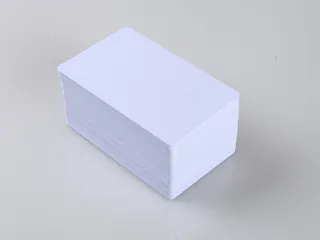
If the cards will be personalised later on a desktop card printer, tell us the printer model. The surface must be compatible with that printer, and a thermal-printable finish differs from an inkjet-receptive one such as the coated surface of an inkjet PVC card.
What variable data can be printed on each card?
Variable data turns a batch of identical cards into individually identifiable credentials. Supply the data as an Excel, CSV or XML file with one row per card and a column for each field.
- Sequential numbering: printed or laser-engraved on suitable materials, with the start number, prefix, font and position you specify.
- Barcodes: common symbologies such as Code 128, Code 39 or EAN-13, printed to your data. Place them on a light background with a quiet zone either side so scanners read them reliably.
- QR codes: static links or per-card codes. Size them for the scanning distance and check them on the proof with the phones or scanners you will use.
- Photo personalisation and names: per-card photos and text from your image files and data list, for staff, student or member ID cards.
- Magnetic stripe: HiCo or LoCo, encoded to your track data where the system still needs it.
- Signature and scratch-off panels: for signed membership cards or cards that hide an activation code.
How should artwork be prepared for RFID card printing?
Clean artwork avoids delays at proofing. Use the checklist below and ask for the card template for your chosen size, because bleed, safe margin and keep-out positions are confirmed on that template.
| Item | Specification |
| Finished size | ID-1, 85.60 × 53.98 mm with rounded corners, or the agreed custom size or die-cut shape |
| Bleed | Extend background artwork beyond the trim line, commonly about 2 mm per side; follow the template |
| Safe margin | Keep text, logos and numbers well inside the trim line, commonly about 3 mm; follow the template |
| Resolution | Images at 300 dpi or more at final size; logos and text as vector |
| Colour mode | CMYK for process colour; name Pantone references for spot colours |
| Fonts | Convert all text to outlines or embed the fonts |
| File formats | Layered AI, PDF or EPS preferred; high-resolution TIFF or PSD for photographic backgrounds |
| Separate layers | Spot varnish, foil, silkscreen colours and variable data fields on their own layers |
| Keep-out zones | Chip module area on contact and dual-interface cards; the embedded chip position on contactless cards for photos, fine text and later desktop-printed fields; magnetic stripe, signature panel and embossing areas; any slot punch or hole |
Keep-out zones matter more on RFID cards than on plain plastic cards. On contact and dual-interface cards the chip module sits in a milled cavity in the position defined by ISO/IEC 7816-2, so artwork in that area is removed and should not carry text or logo detail. On contactless cards, avoid placing photos, fine text or later desktop-printed fields directly over the embedded chip position shown on the template, because the chip can leave a slight surface bump that causes print voids. The antenna also runs inside the card, so a slot punch, hole or embossed text must be agreed before production so the inlay can be laid out clear of it. Do not add a punch to a finished card, because it can cut the antenna.
How are colours proofed and approved?
Each order starts with a digital proof showing layout, trim, keep-out zones, variable data positions and a sample of the numbering or barcode. The digital proof confirms content and placement, but a screen cannot show printed colour accurately.
- For brand-critical colours, give the Pantone reference and ask for a physical printed sample before production.
- Colours print differently on white PVC, natural wood, paper and PLA, so judge the colour on the material you are ordering.
- Metallic, pearlescent, foil and frosted effects should always be approved on a physical sample.
- Production starts only after written approval of the proof and, where agreed, the pre-production sample. Changes after approval normally require a new proof.
How do printed numbers match the encoded chip data?
Many systems need the visible card number and the chip data to agree, so staff can issue a card by its printed number and the reader recognises the same card. There are two common approaches, and both should be defined before production.
- Print what the chip already holds: the factory UID, or a number derived from it, is read from each card and printed on that card, often in a decimal or hexadecimal format your software expects.
- Encode what the card shows: a printed sequence, such as 000001 to 010000, is written into the chip memory, a MIFARE sector, an NDEF record or a UHF EPC to match each printed number. This needs a writable chip, such as a T5577 or EM4305 programmed with an EM4100-format ID, or writable HF or UHF memory. Read-only EM4200 IDs and factory UIDs cannot be changed, so for those chips the printed number is taken from the chip, and a reader that checks only the UID ignores any encoded sector.
- When we write to the chip, each card is read again once encoding is done and the order ships with a data report. Either way, numbered cards come with a list of every printed number beside its UID (TID or EPC on a UHF card), in the same file formats we accept for variable data, ready to import into your system.
Tell us the number format, byte order and any conversion your system applies to the UID, because the same chip ID can appear in different formats on different readers. The RFID encoding service explains UID reports, sector encoding, NDEF, keys and EPC data in detail, including how protected keys are handled.
Which chip should go inside a printed card?
Choose the chip from the reader, lock or software, not from the artwork. If you are replacing existing cards, send a working card or the reader model so the chip and data format can be matched.
| System type | Chip families | Related page |
| 125 kHz proximity access and attendance | EM4200 read-only IDs (our cards sold as EM4100 use the EM4200 chip); EM4305 (EM Microelectronic) and T5577 (Microchip ATA5577C) read/write (can be programmed to an EM4100-format ID) | EM4200 card; T5577 or EM4305 for writable IDs |
| 13.56 MHz existing hotel, membership and legacy access | NXP MIFARE Classic EV1 1K/4K; its Crypto-1 security is broken, so use it to match an existing system or as a convenience credential | MIFARE Classic card (1K), MIFARE Classic 4K card |
| 13.56 MHz secure access, campus and transport | MIFARE Plus (SL3, AES), MIFARE DESFire EV2/EV3 (AES) for new secure schemes | MIFARE Plus card, MIFARE DESFire cards |
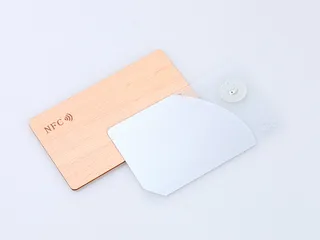
| NFC phone tap, links and digital profiles | NTAG213, NTAG215, NTAG216 | NFC cards |
| Long-range vehicle or asset identification | UHF EPC Gen2 (ISO/IEC 18000-63) | Confirmed in the quotation for your reader |
| Contact plus contactless ID, campus or transport cards | Dual-interface or contact chip modules; payment cards need scheme-certified production and personalisation and are outside standard printed-card orders | Confirmed in the quotation for your system |
For systems built around branded credential formats, specify the chip and data format your system provider accepts and confirm compatibility with that provider before ordering.
Which card materials can be printed?
| Material | Printing and personalisation | Choose it when |
| PVC | All print methods and finishes, numbering, magnetic stripe, photo personalisation | You need the standard, cost-effective card for most access and membership schemes |
| PET / PETG | Offset, silkscreen and digital printing; finish options confirmed per project | You need a chlorine-free PET or PETG body, or a PVC/PET composite, with the grade confirmed in the quotation and heat and handling checked on a sample |
| Wood | Laser engraving, UV printing, hollow carving, die-cutting to shape, epoxy covering for water resistance | You want a natural-wood look for hotel, event or membership programmes; see the wooden RFID card |
| Paper | Full-colour printing on both sides, varnished for protection | Cards have a short service life, such as event, trial or single-season use |
| PLA | Printing and finish options confirmed per project | You want a plastic body made from corn starch; the chip and antenna inlay are not PLA, and the eco RFID card page explains what its composting statement covers |
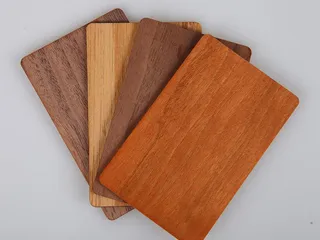
Wooden cards are offered in cherry, sapele, bamboo, beech, birch, black walnut, basswood and maple. Each species takes laser engraving and UV printing differently, and wood grain varies from card to card, so approve the species and print on a sample. Wood cards are usually thicker than a 0.76 mm plastic card; thickness is confirmed per build, so check it against insertion locks, dispensers and encoder slots. Wooden cards can be encoded for hotel locking systems whose locks accept the chip; for lock-specific designs see hotel key cards.
How do samples, proof approval and lead time work?
Standard product samples are free, so you can check the chip, card body and finish against your readers before paying for custom work. Customised printed samples carry a setup fee, because they need their own artwork preparation and production setup. The fee and the sample quantity are confirmed in the quotation. A sample pack is a quick way to compare materials and finishes before you commit to artwork.
- Test a standard sample with your reader, lock or phone to confirm the chip and data format.
- Approve the digital proof for layout, keep-out zones and variable data positions.
- Approve a printed pre-production sample where colour, special finishes or encoding must be checked.
- Production and encoding start after written approval of the proof and any pre-production sample.
Standard products generally have a lead time of 2 to 3 weeks. Custom printed cards are scheduled from the date the proof and any pre-production sample are approved, and the production time is confirmed in the quotation. Large orders are scheduled individually. Transit time and freight are confirmed for your destination.
What should you send for a quotation?
- Chip type, or the reader, lock or software model, plus a working sample card if you are replacing existing cards.
- Quantity, card material, size and thickness.
- Artwork or a design brief, the print method or effect you have in mind and the finish.
- Variable data: numbering format, barcode or QR content, photos and names, with a sample data file.
- Encoding needs: UID report, sector data, NDEF record or EPC, and how the printed number must match the chip.
- Delivery country and target date.
Proud Tek prints, laminates, encodes and inspects each order in its own factory in Shenzhen, backed by strong chip supply channels, so the quotation reflects your chip, material, finish and quantity. Send the details through the inquiry form, by email or on WhatsApp. We reply within one business day and provide a quotation within one business day of a workable inquiry.
Frequently asked questions
What file format and resolution do you need for printed RFID card artwork?
Layered AI, PDF or EPS with fonts converted to outlines, images at 300 dpi or more at final size and colours in CMYK with Pantone references for spot colours. Extend the background into the bleed, keep text inside the safe margin and ask for the card template for your size, which is provided or confirmed with the proof.
Can the printed card number match the chip UID?
Yes. We can read each chip's UID and print it, or a number derived from it, on the same card, or encode your printed sequence into the chip. Numbered orders include a list pairing the printed numbers with the chip UIDs. See the RFID encoding service for the options.
Can you match our Pantone brand colour?
Give us the Pantone reference and we plan the print method around it, usually a silkscreen or offset spot colour when CMYK cannot reproduce it. Approve the colour on a physical printed sample, because a screen proof cannot show printed colour accurately and the result varies with the card material.
Is there a minimum order quantity for custom printed RFID cards?
The minimum depends on the chip, material and print method: digital printing suits shorter runs, while offset printing is better suited to larger quantities. The MOQ for your specification is confirmed in the quotation.
Can you print and encode custom NFC cards with our URL?
Yes. Choose an NTAG213, NTAG215 or NTAG216 card, send your artwork and the URL, vCard or other NDEF content, and each card is printed and encoded so a phone opens it on tap. Per-card URLs can be matched to printed numbers or QR codes, and the tag can be locked after writing if the content must not change. See NFC cards.
Can you reproduce or match our existing printed cards?
In most cases, yes. Send a physical card, or photos of both sides plus the reader model, and the chip, data format, card body and artwork are matched as closely as possible. The chip is tested against your reader and the colour approved on a printed sample before production. Send only cards for a system you operate or are authorised to supply.
Does printing or a metallic finish affect the RFID read range?
Ordinary inks, overlays and varnishes do not normally affect reading. Large metallic foil or metallic ink areas can influence some chips and antennas, so approve metallic designs on a printed sample tested with your own reader before production.
Can I print the cards myself instead?
Yes. Order blank RFID cards with the chip you need and print them on your own card printer. Tell us the printer model so the card surface suits it. Printing the cards during production, before lamination, is usually the better choice for full-bleed artwork, special finishes and larger runs.
Buyer guides
- RFID OEM and White-Label: What to Ask For An RFID OEM and white-label guide for distributors: white-label vs OEM, artwork ownership, print-ready files, reorders and the clauses to ask for.
- How to Read an RFID Tag Quotation, Line by Line What decides RFID card and tag prices, and how to compare quotations line by line: unit-price basis, tooling, encoding, samples, freight and Incoterms.
- RFID RFP Template: Questions to Ask Every Supplier An RFID RFP template for distributors: the supplier questions that produce comparable quotes, and how to read the replies against one specification.
Ready to specify your order?
Send the product, quantity and application so we can confirm the options and pricing for your project.